← Main Portfolio Download on the App Store Features Screens Guide About Support Privacy
BalanceCleaner for iPhone & iPad · Native StoreKit 2
Product screens

See the app before it ships.

Overview

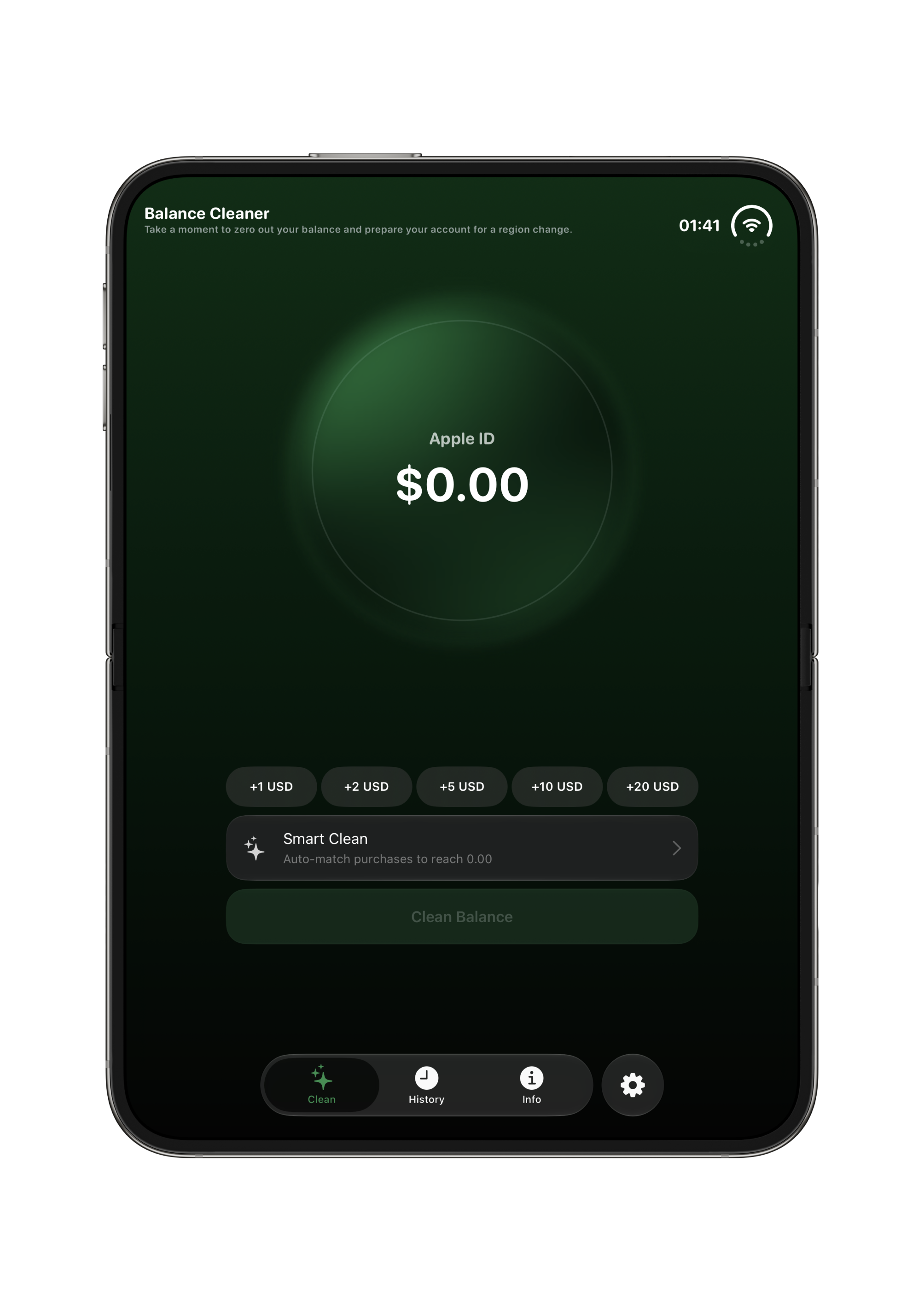
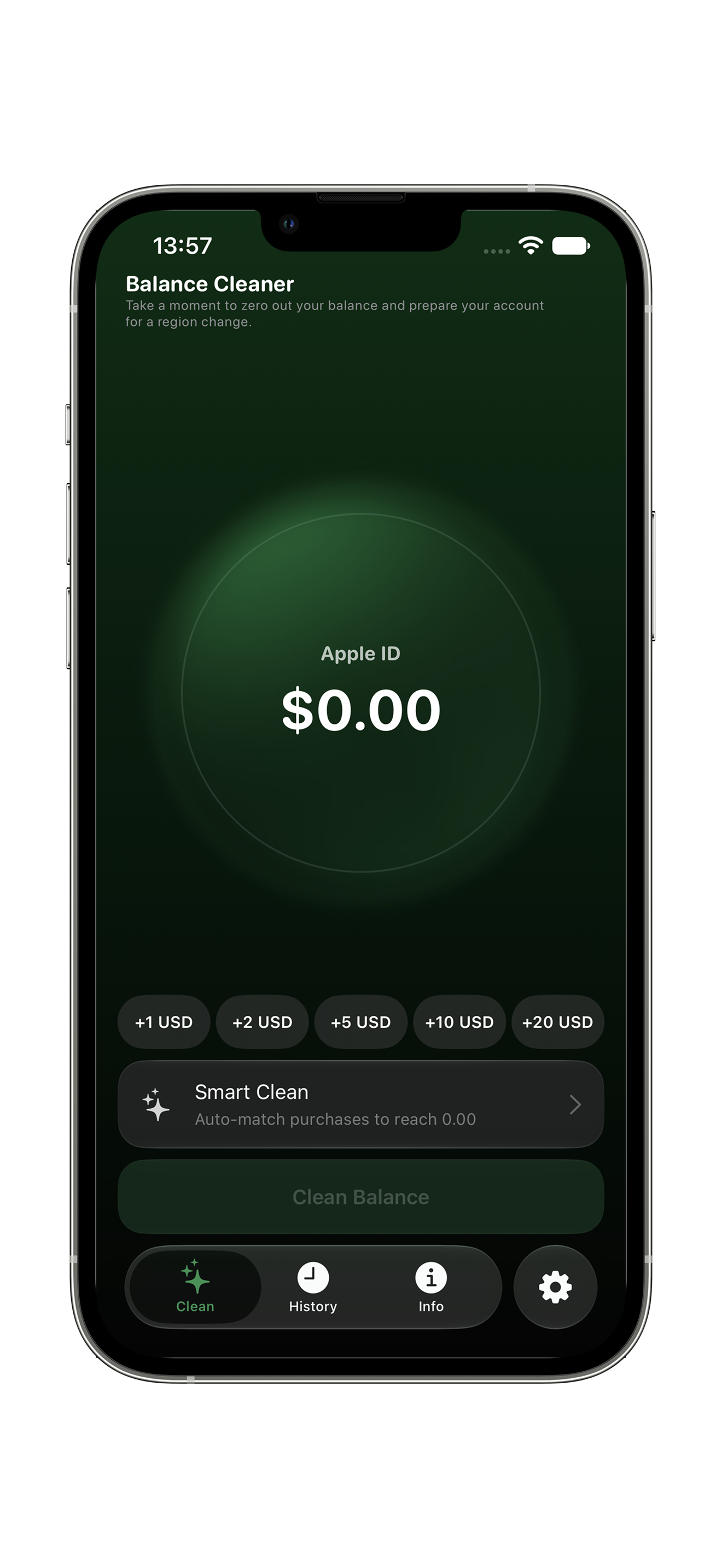
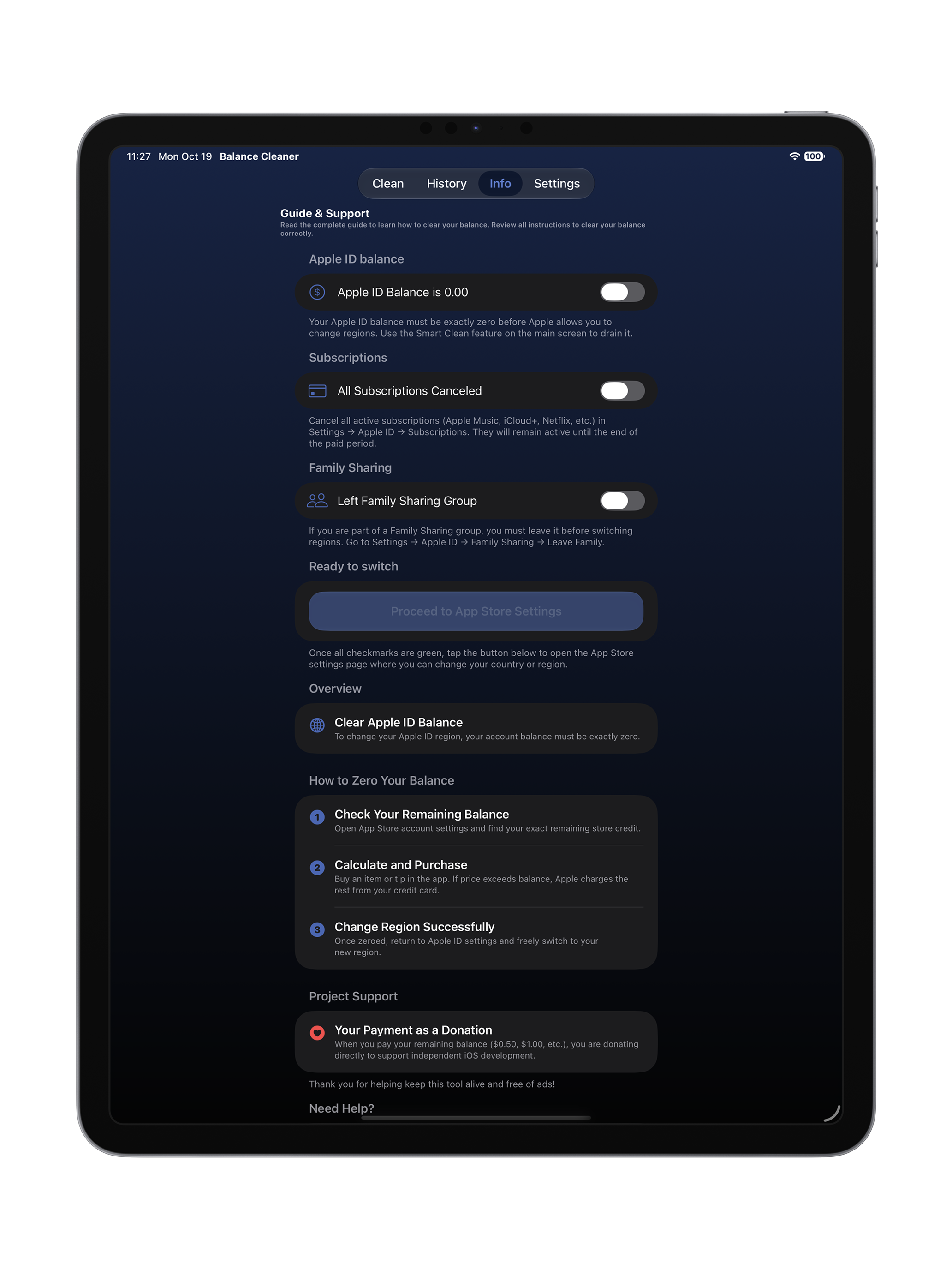
Clear Apple ID Balance

To change your Apple ID region, your account balance must be exactly zero.

STEP 1 Check Your Remaining Balance

Open App Store account settings and find your exact remaining store credit.

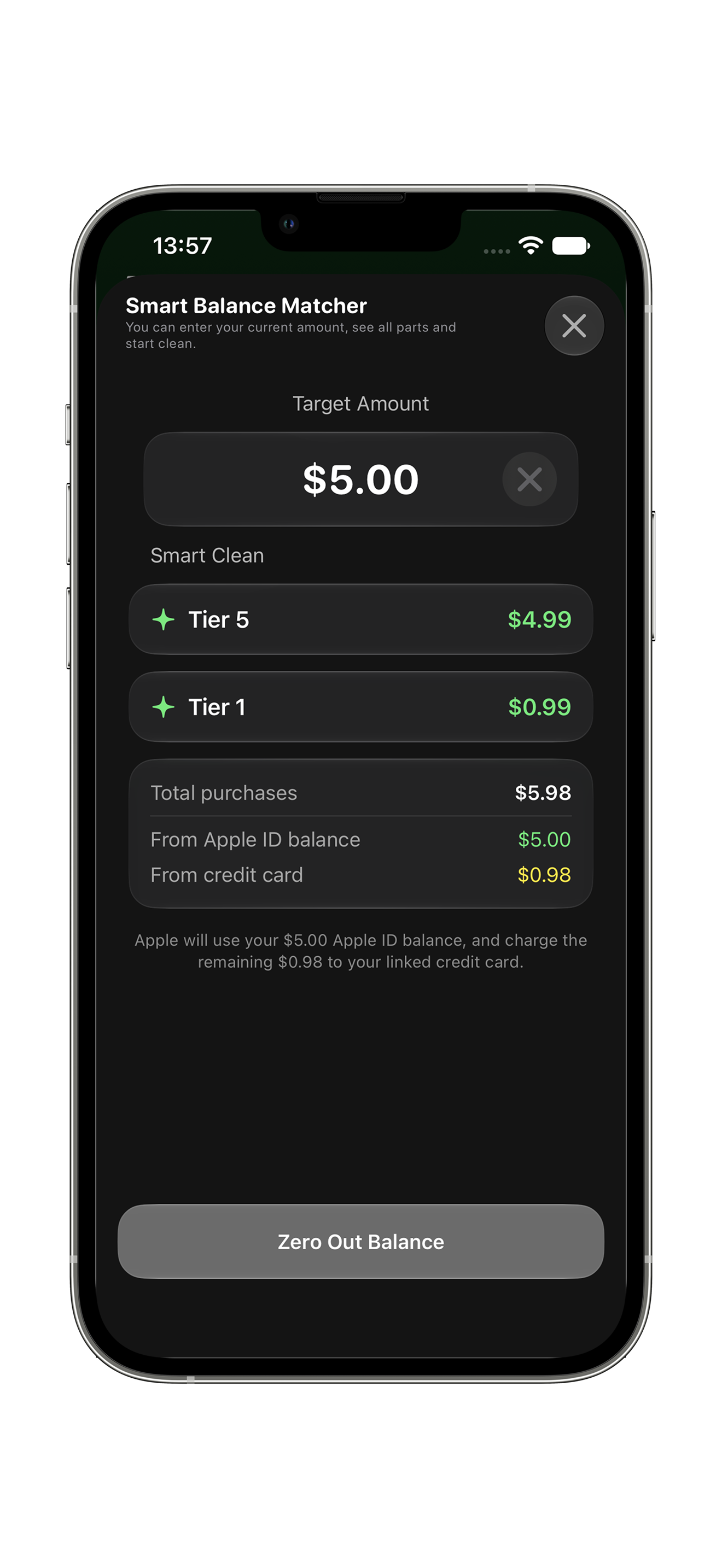
STEP 2 Calculate and Purchase

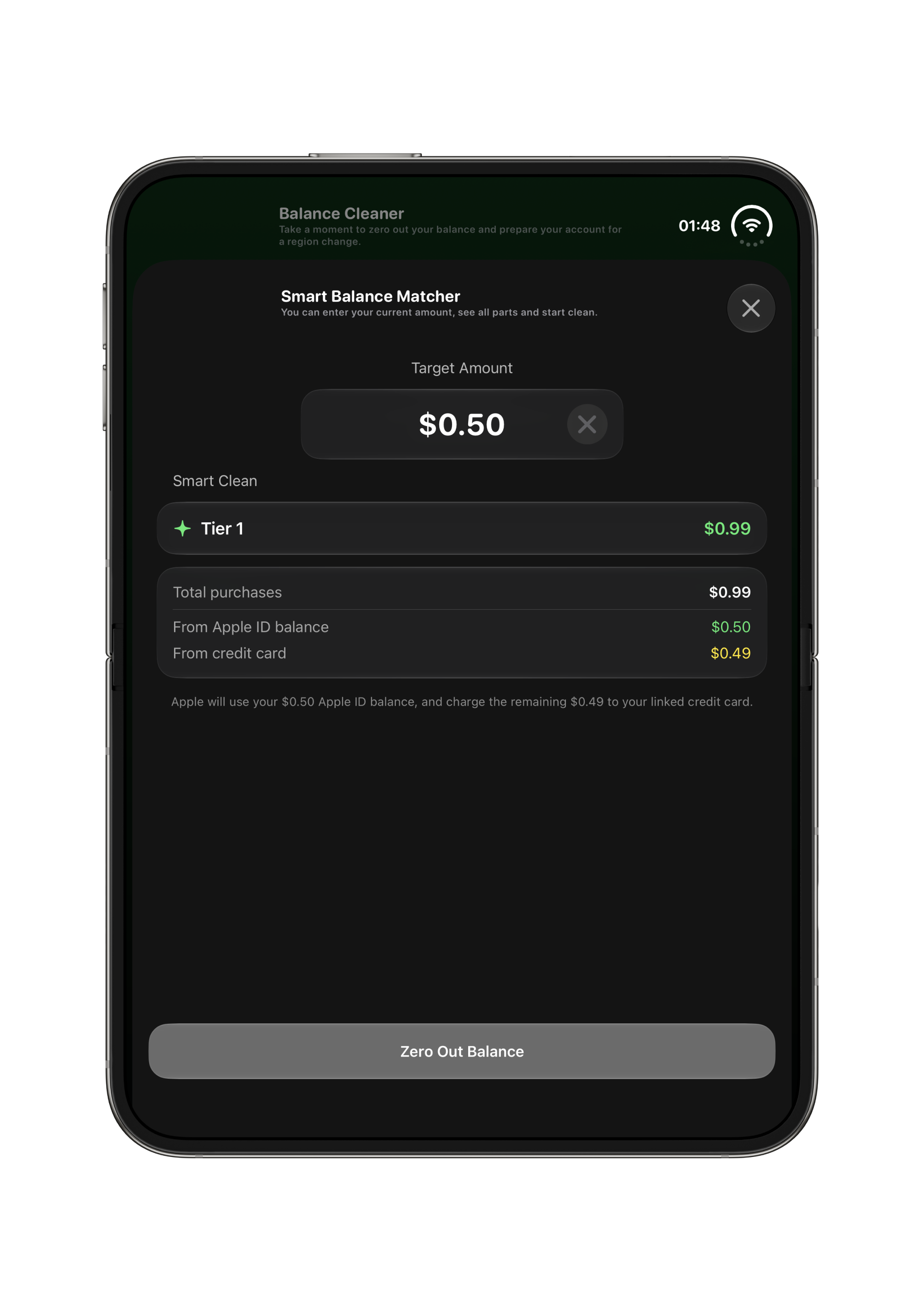
Buy an item or tip in the app. If price exceeds balance, Apple charges the rest from your credit card.

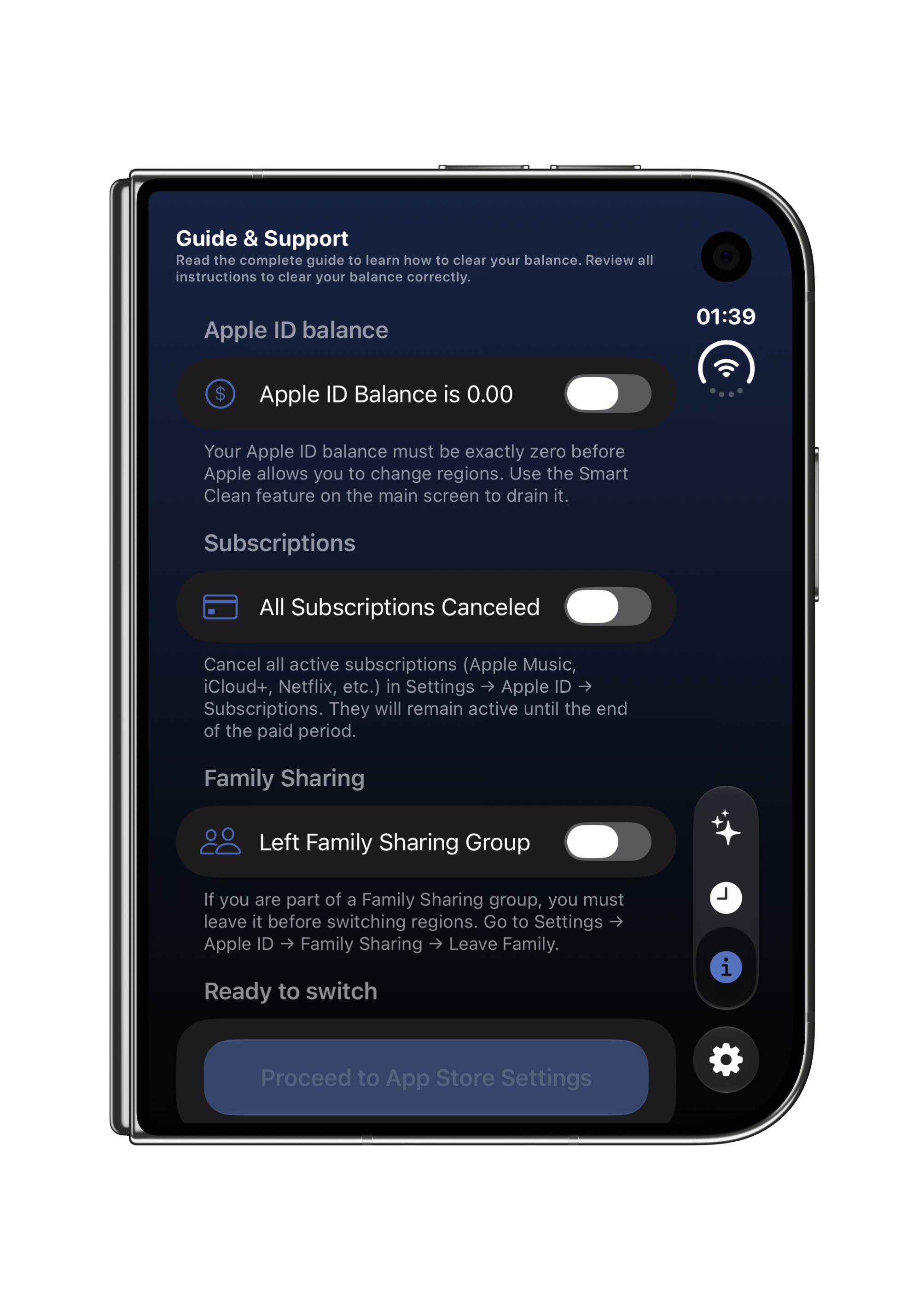
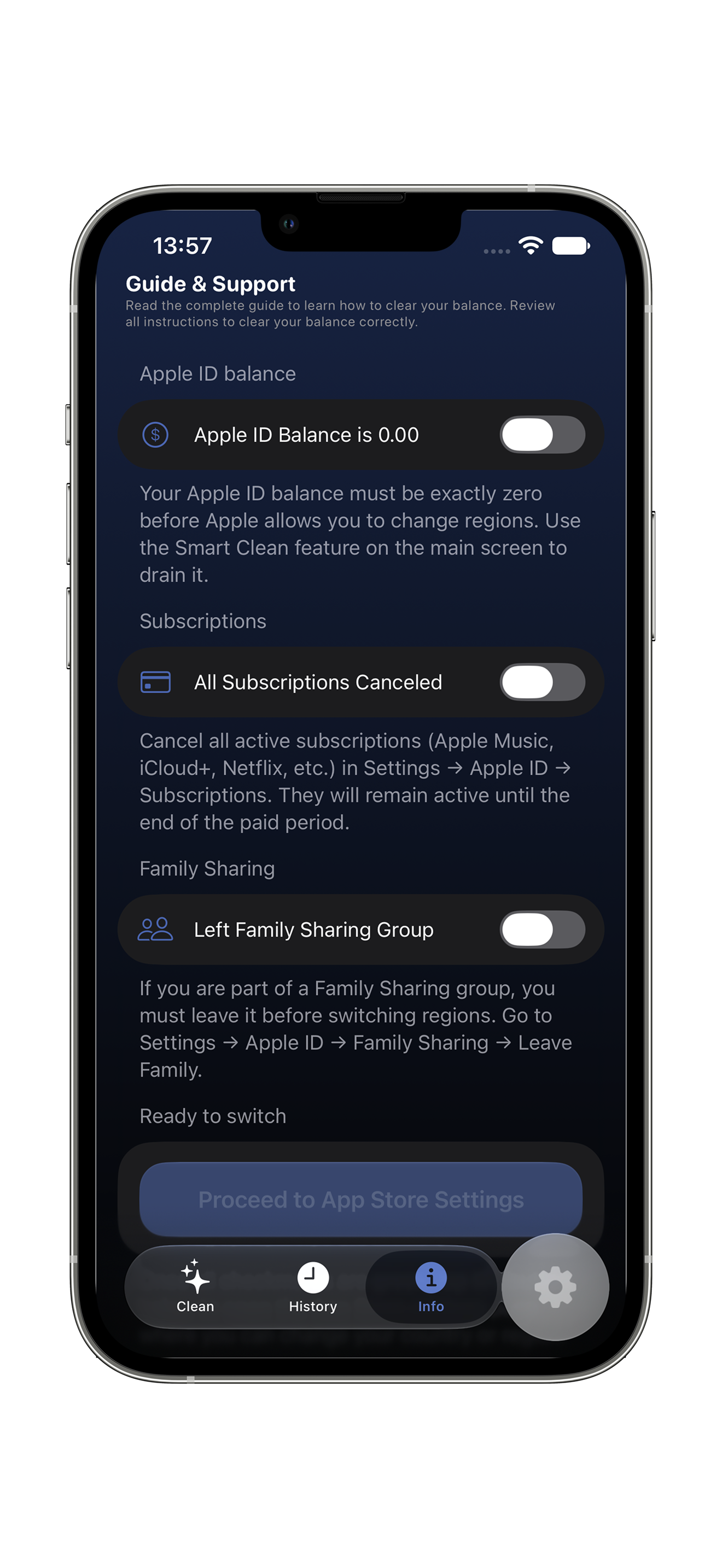
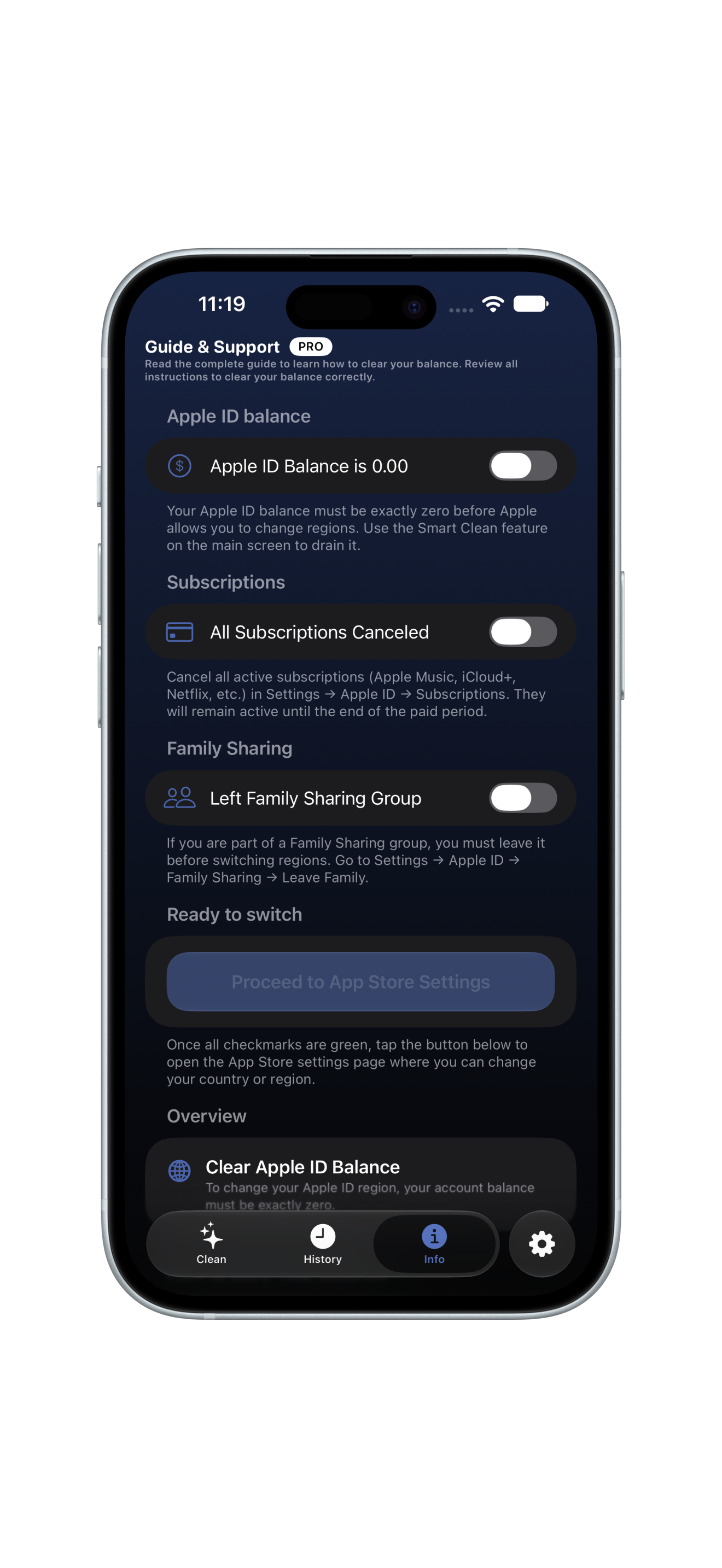
STEP 3 Change Region Checklist

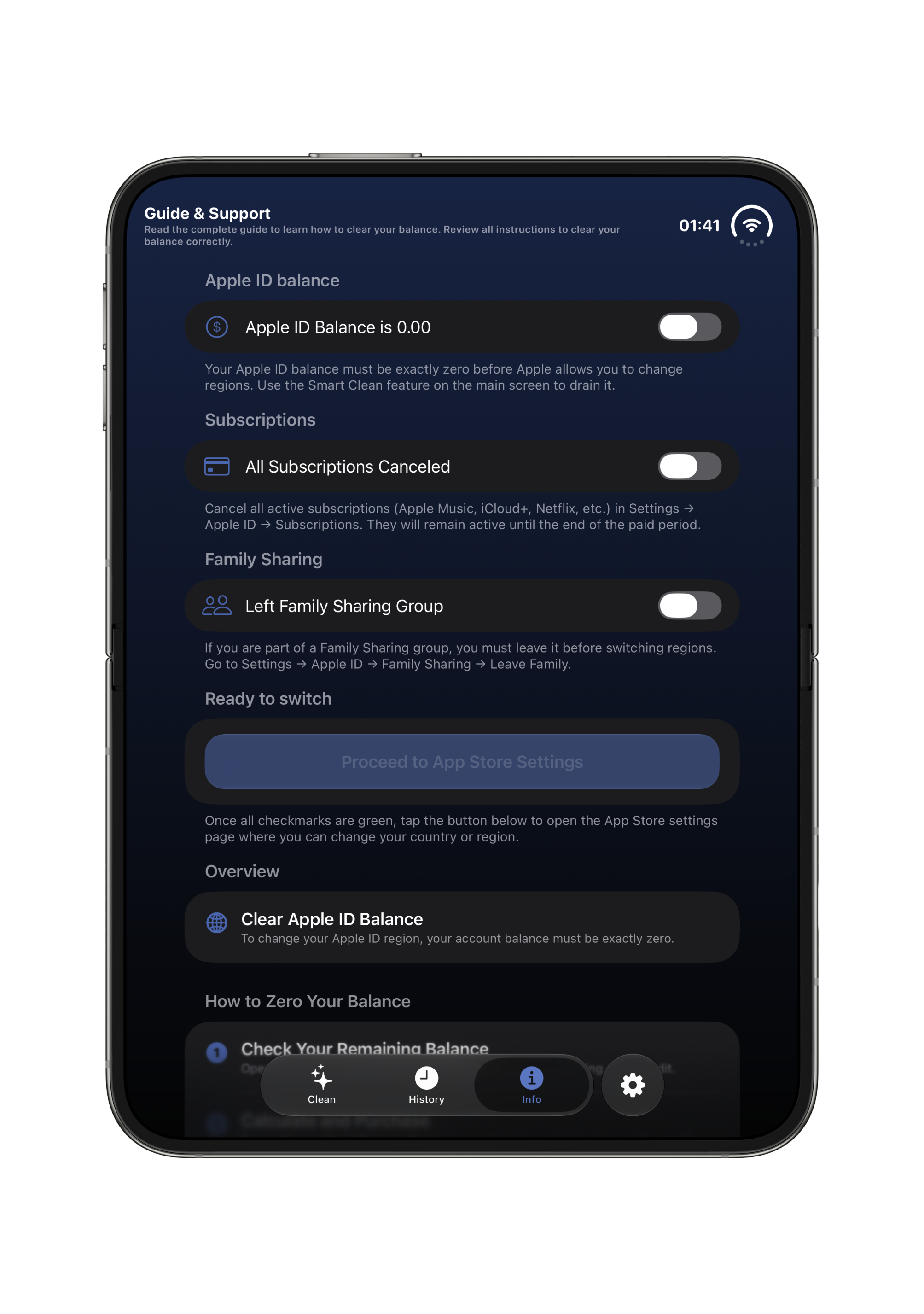
Step-by-step checklist to verify zero balance, subscriptions canceled, and prepare for region change.

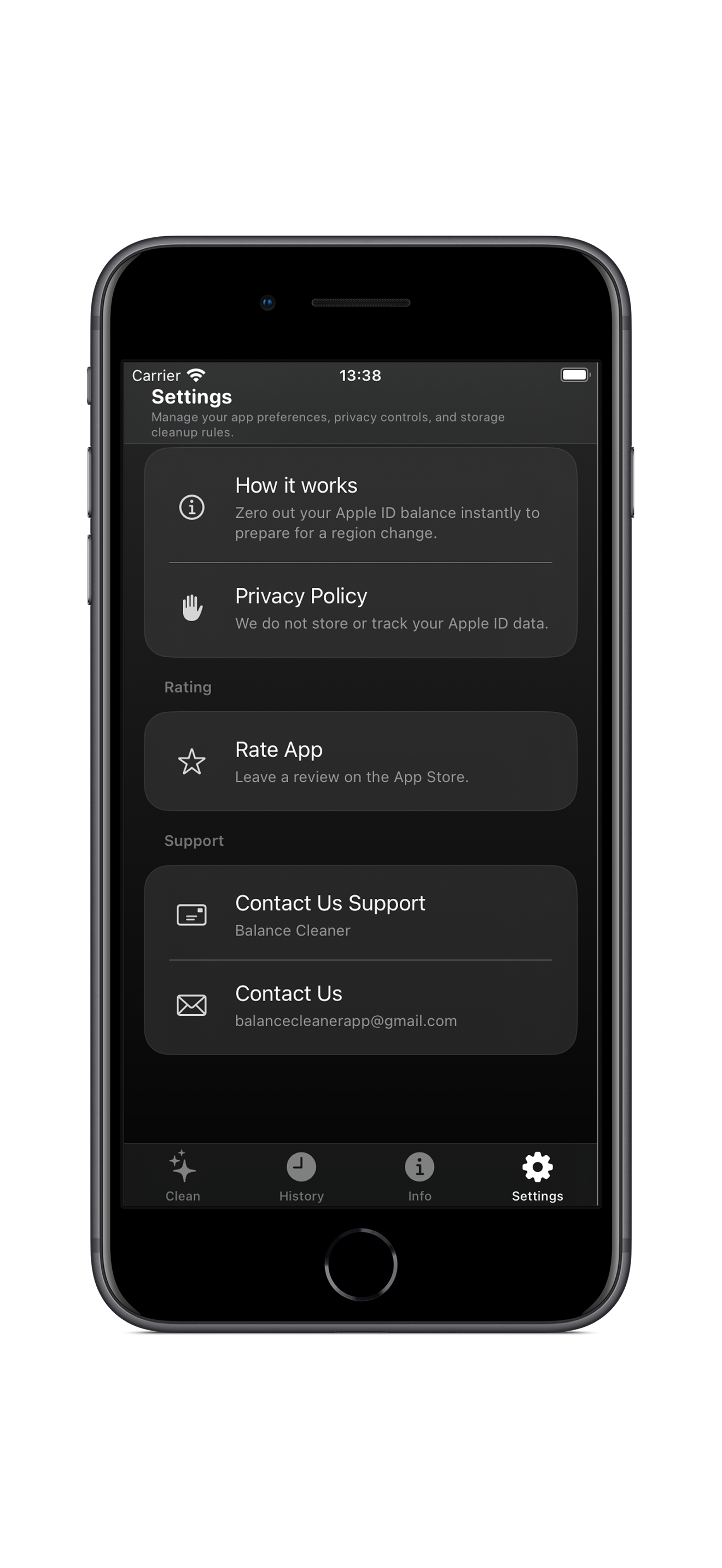
STEP 4 Settings & Contact Support

Access settings, view transaction history, or contact developer and Apple Support if assistance is needed.

▶ VIDEO DEMO iPhone 18 Pro Video Demo

Watch interactive zero-balance calculation and StoreKit flow in real time.

The idea

Less noise.
More balance.

A calm product story built around clarity, control and a respectful digital experience.

Your digital space, understood.

BalanceCleaner helps people see what is taking up space, make confident decisions and keep their everyday devices feeling lighter. Built thoughtfully by an independent iOS engineer with focus on transparent choices and privacy at the centre of every interaction.

01 Understand
02 Choose
03 Balance
Purchase Tiers

How Balance Clearing Works

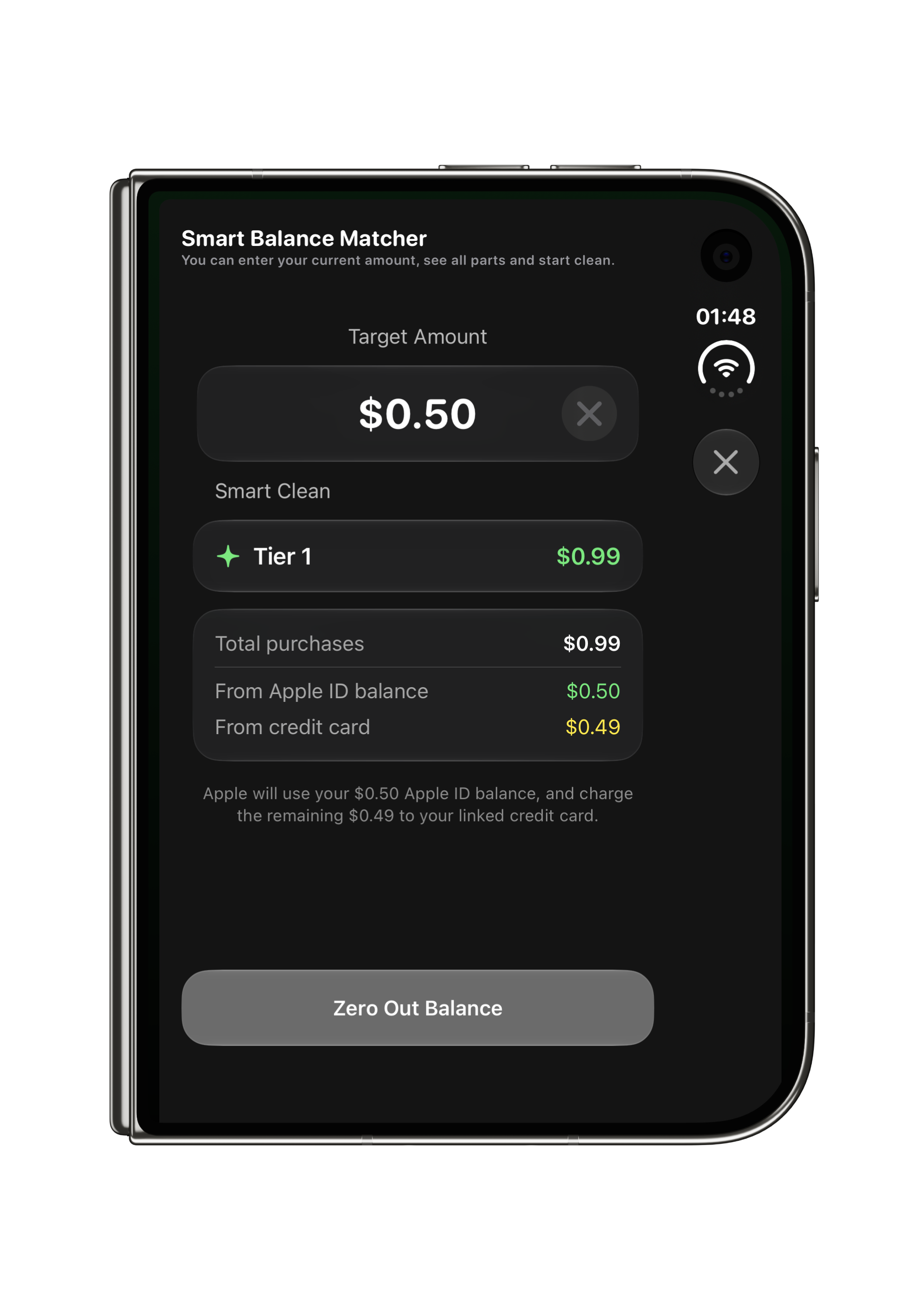
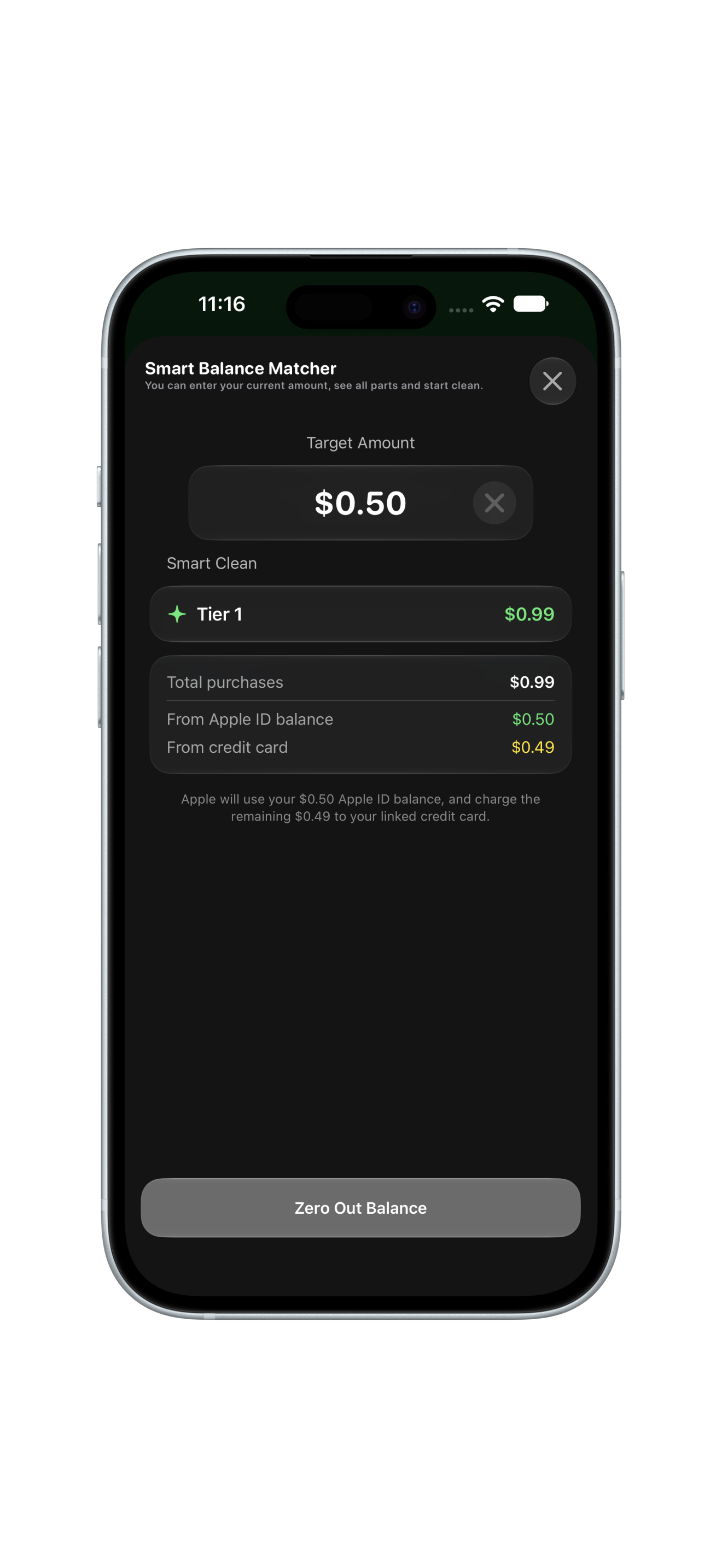
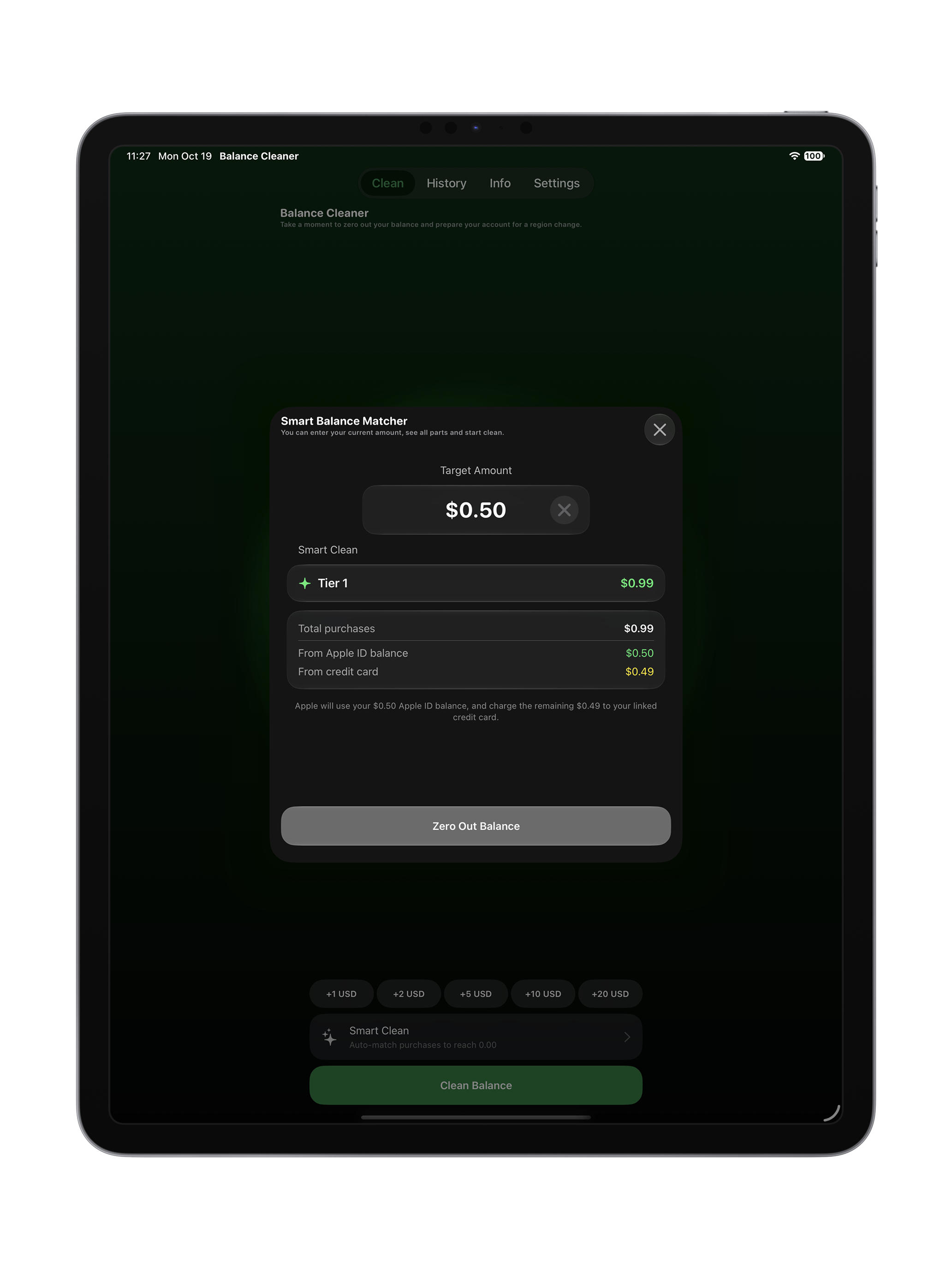
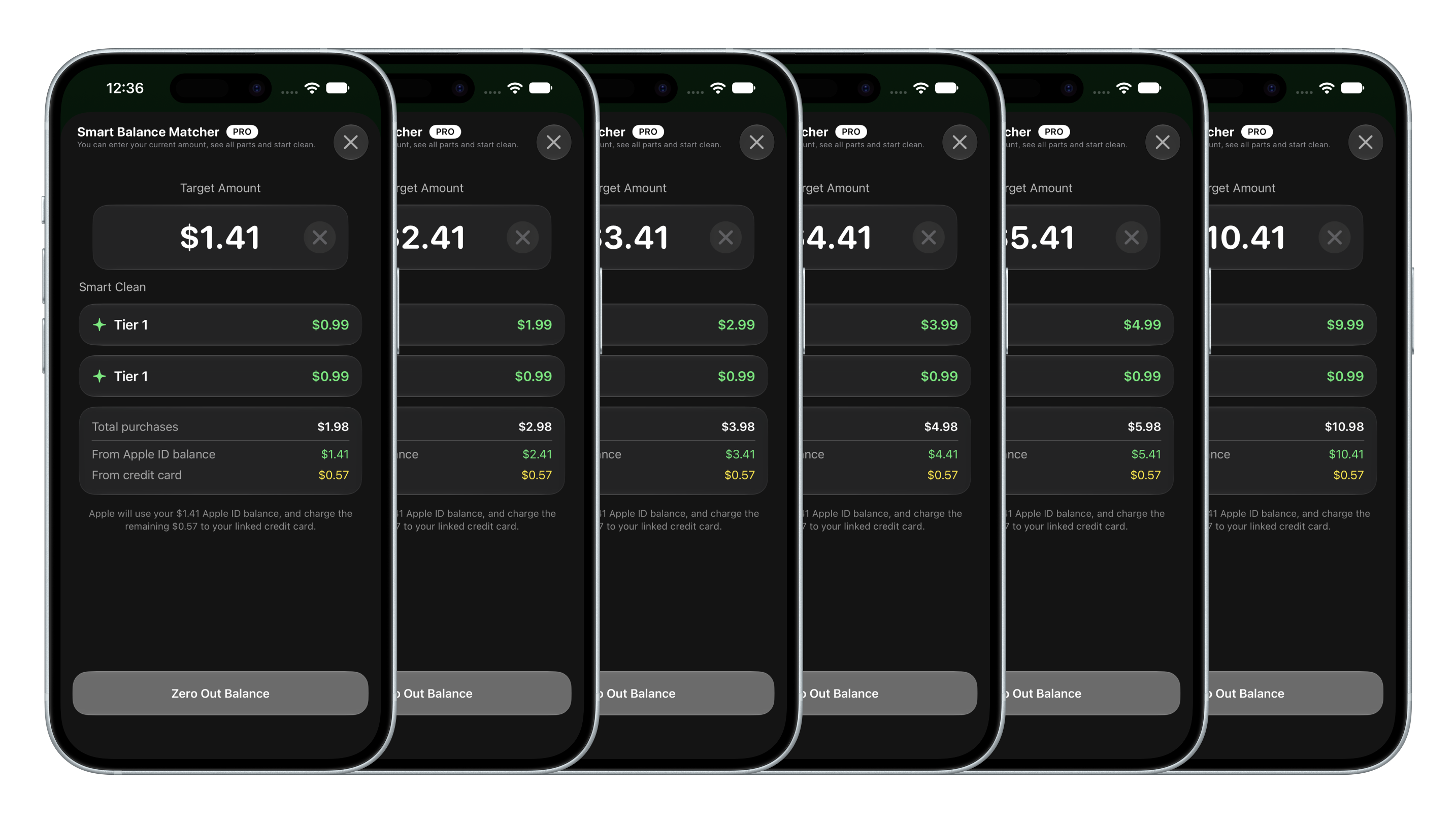
Each tier is a donation that simultaneously zeros your Apple ID balance. The Smart Balance Matcher selects the best combination automatically.

Tier 1 Icon
Tier 1 ~$0.99 / ~1 coin

Clears balance of ~$0.99.

Tier 2 Icon
Tier 2 ~$1.99 / ~2 coins

Clears balance of ~$1.99.

Tier 3 Icon
Tier 3 ~$2.99 / ~3 coins

Use when balance is around $2–3.

Tier 4 Icon
Tier 4 ~$3.99 / ~4 coins

Best for a $3–4 leftover balance.

Tier 5 Icon
Tier 5 ~$4.99 / ~5 coins

Handles balances around $4–5.

Tier 10 Icon
Tier 10 ~$9.99 / ~10 coins

Clears larger balances up to $10.

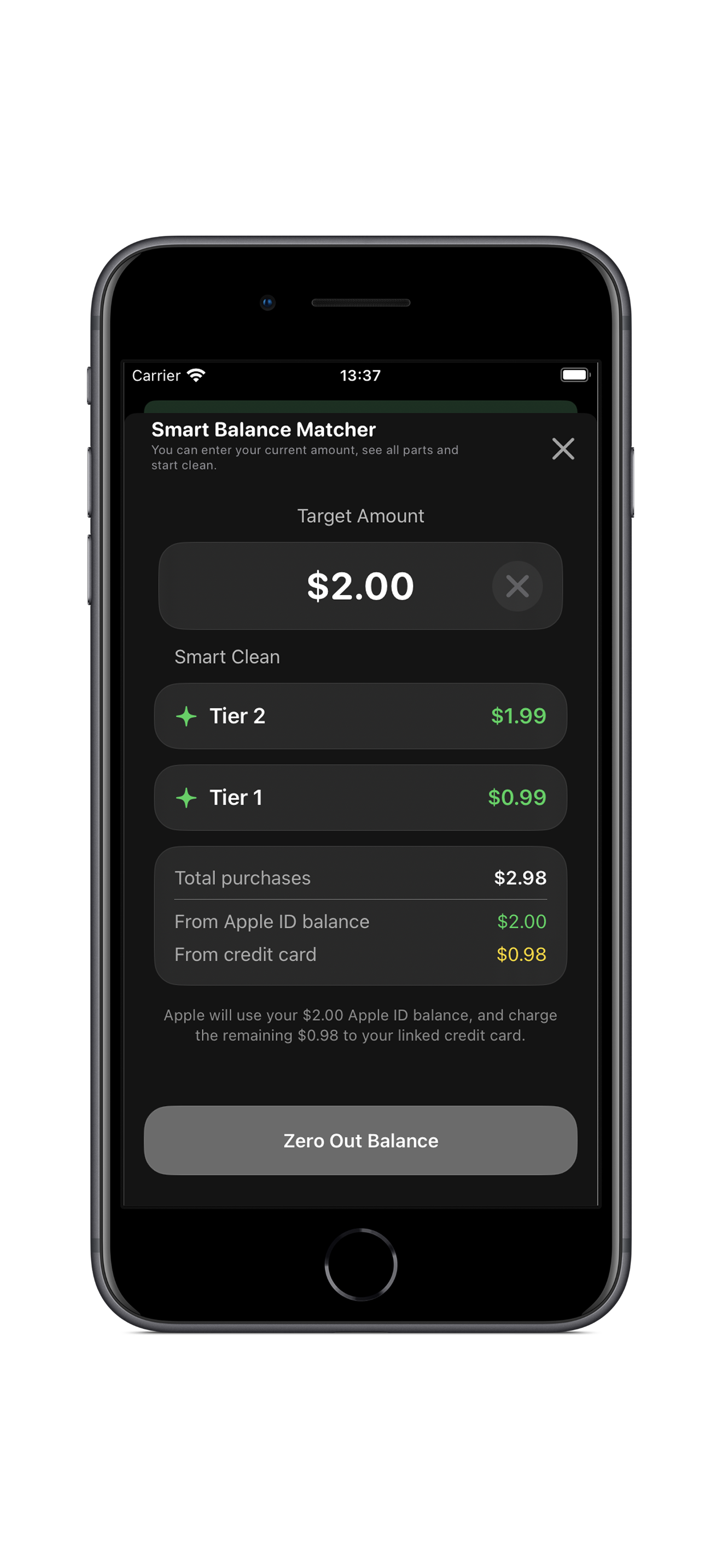
💡 Smart Balance Matcher automatically selects the optimal combination of tiers to reach exactly $0.00.

Your Payment as a Donation

When you pay your remaining balance ($0.50, $1.00, etc.), you are donating directly to support independent iOS development.

Thank you for helping keep this tool alive and free of ads!

Below minimum tier? Contact Apple Support: Apple Billing & Subscriptions →
100% On-Device Native
0 Data Trackers
StoreKit 2 Official Apple API
Customer Support

How can we help?

Send a question, bug report, suggestion, or privacy request. We respond by email.

Talk to the developer.

Use the form or email balancecleanerapp@gmail.com.

Frequently Asked Questions

What is BalanceCleaner?
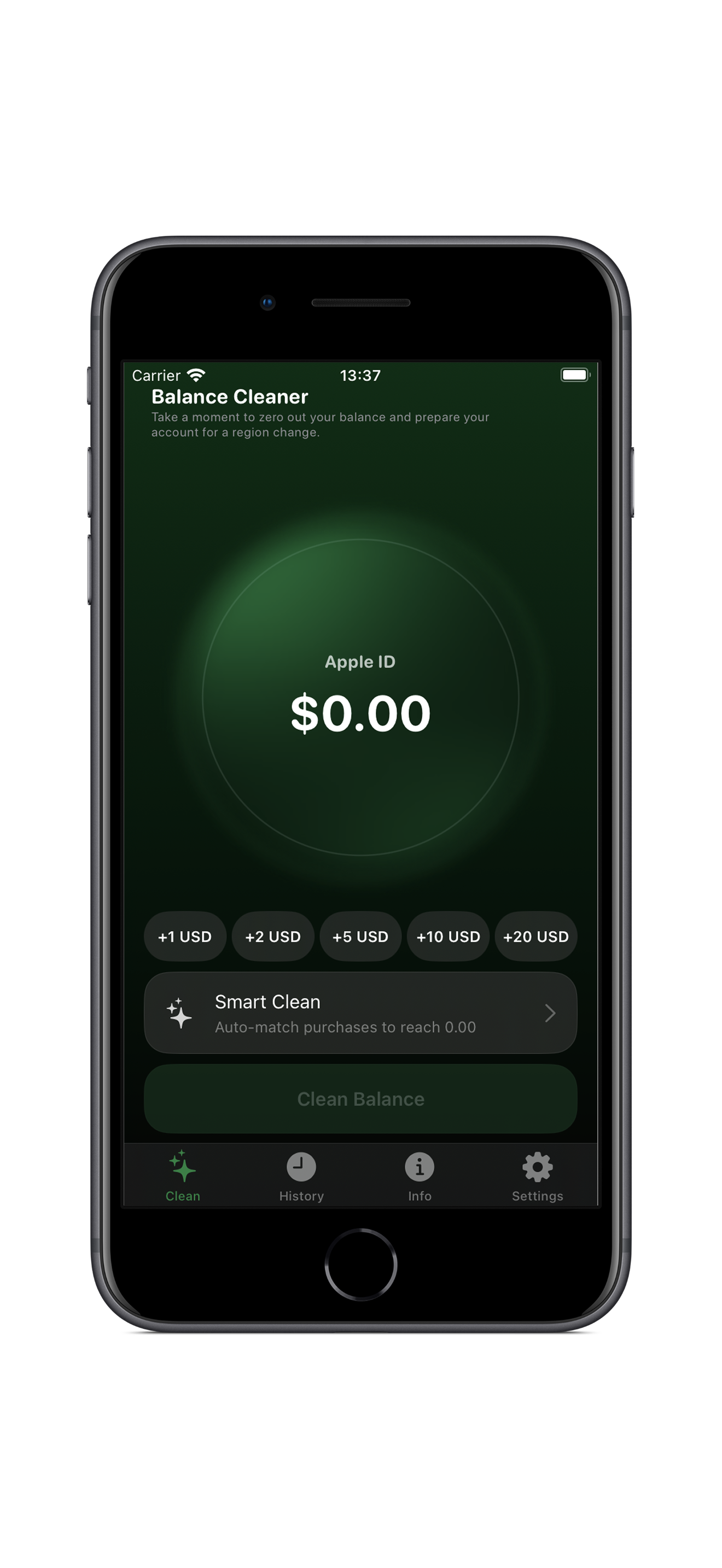
BalanceCleaner lets you easily select or enter the exact custom amount to zero out your Apple ID account balance — no account registration required.
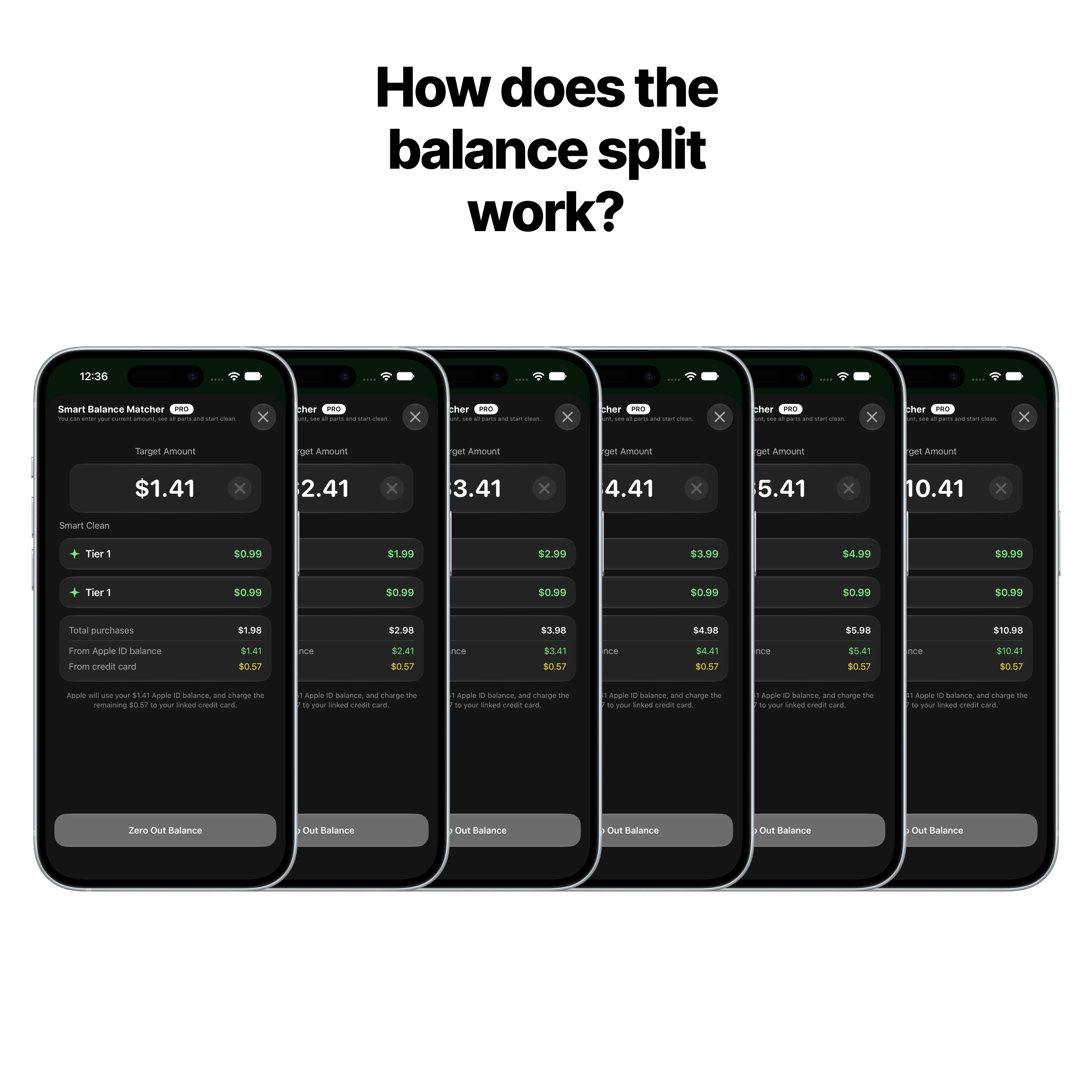
How does the balance split work?
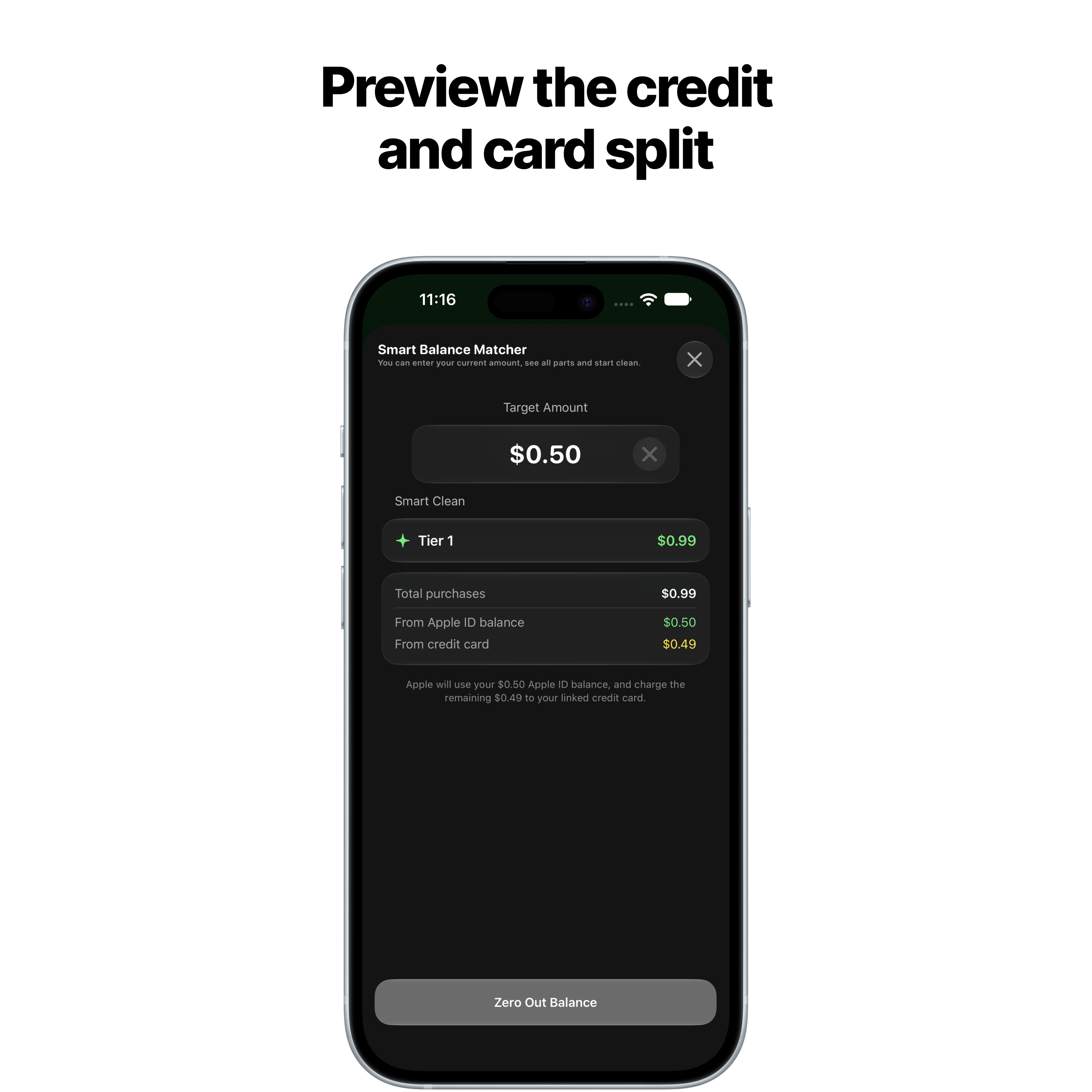
See the precise breakdown of your remaining balance and calculated parts before confirming any operation. Everything is shown clearly before you proceed.
Is my data safe?
Yes. All processing happens locally on your device via Apple's StoreKit framework. We do not collect, store or upload any personal data.
Do I need an account?
No account is required. Download and start immediately.
What is Pro?
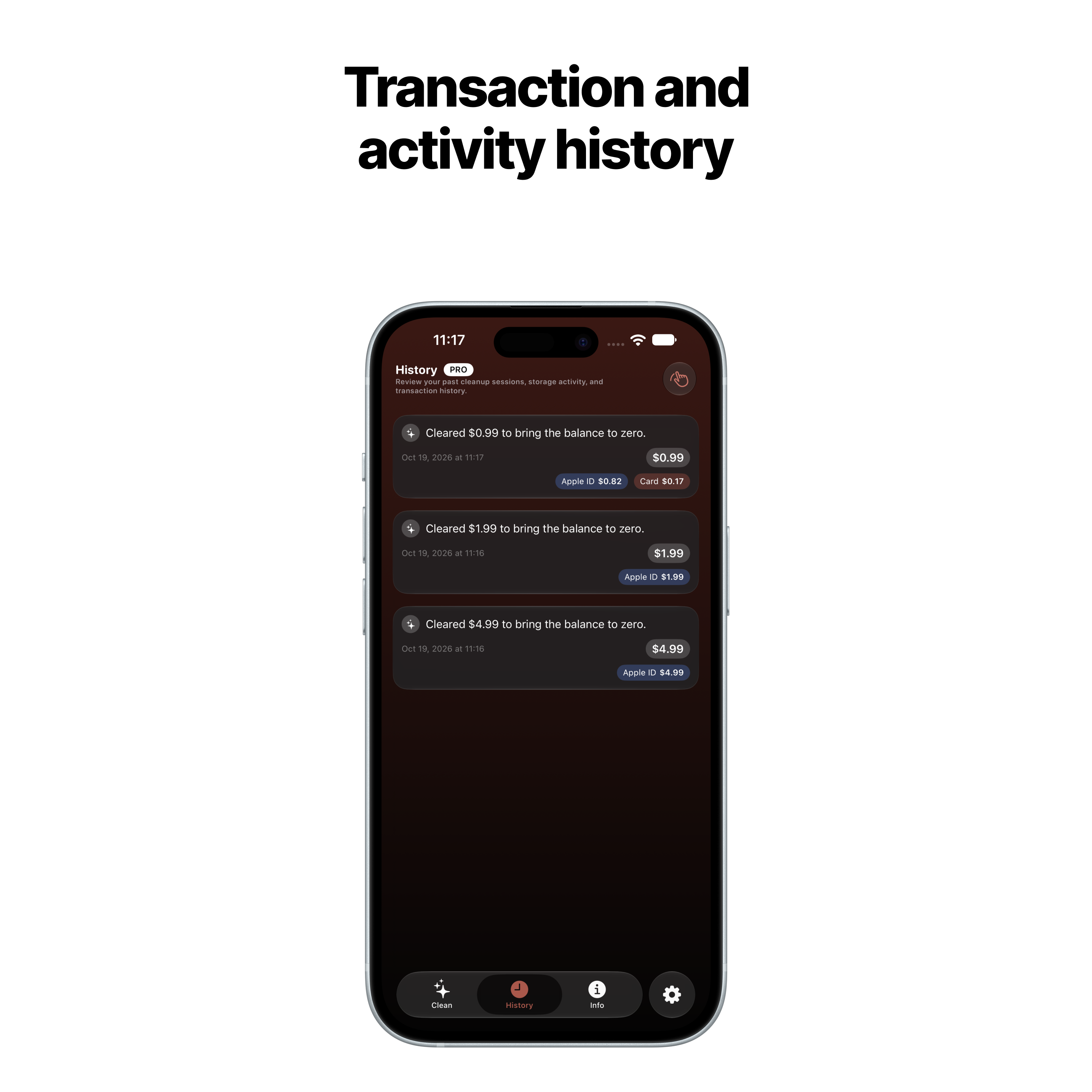
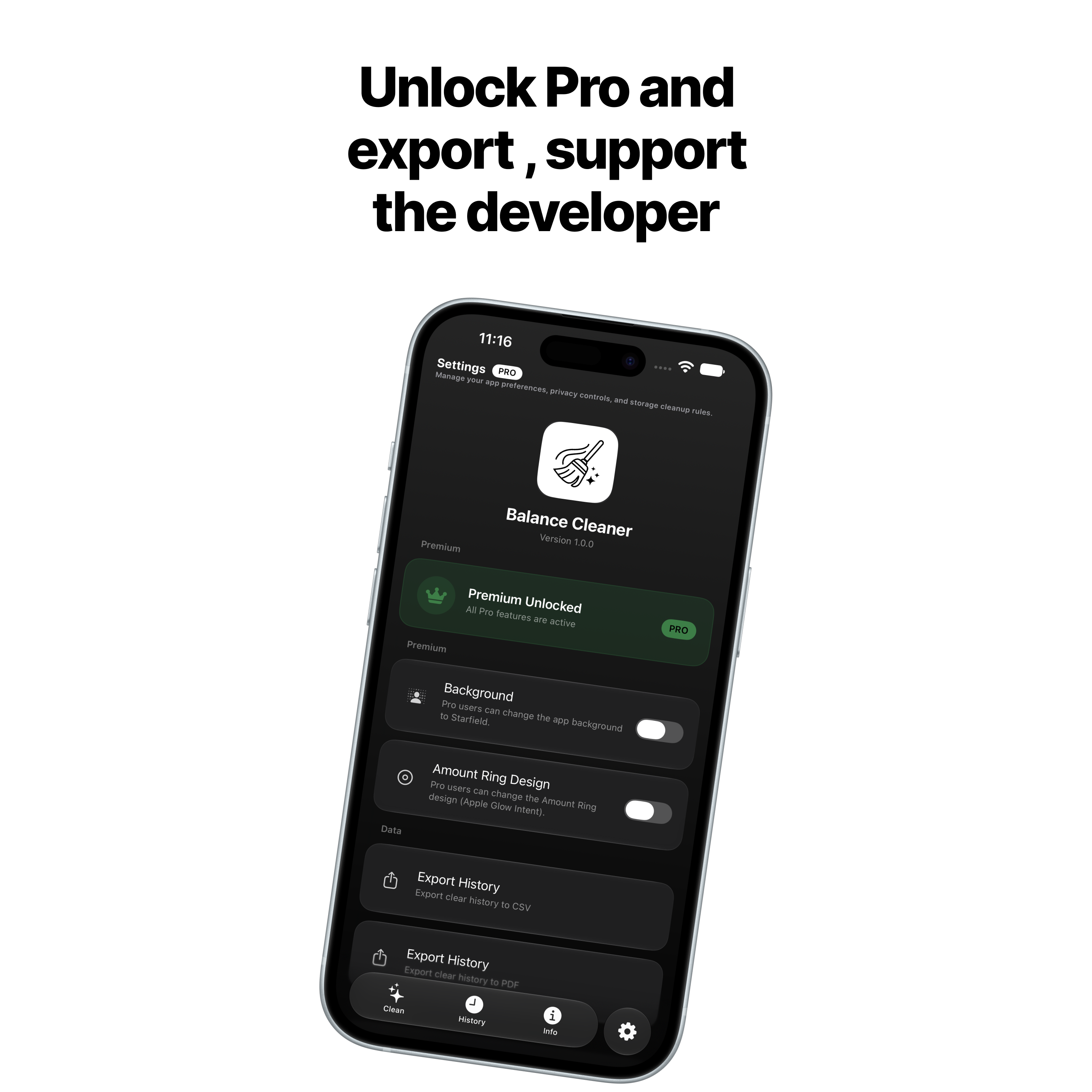
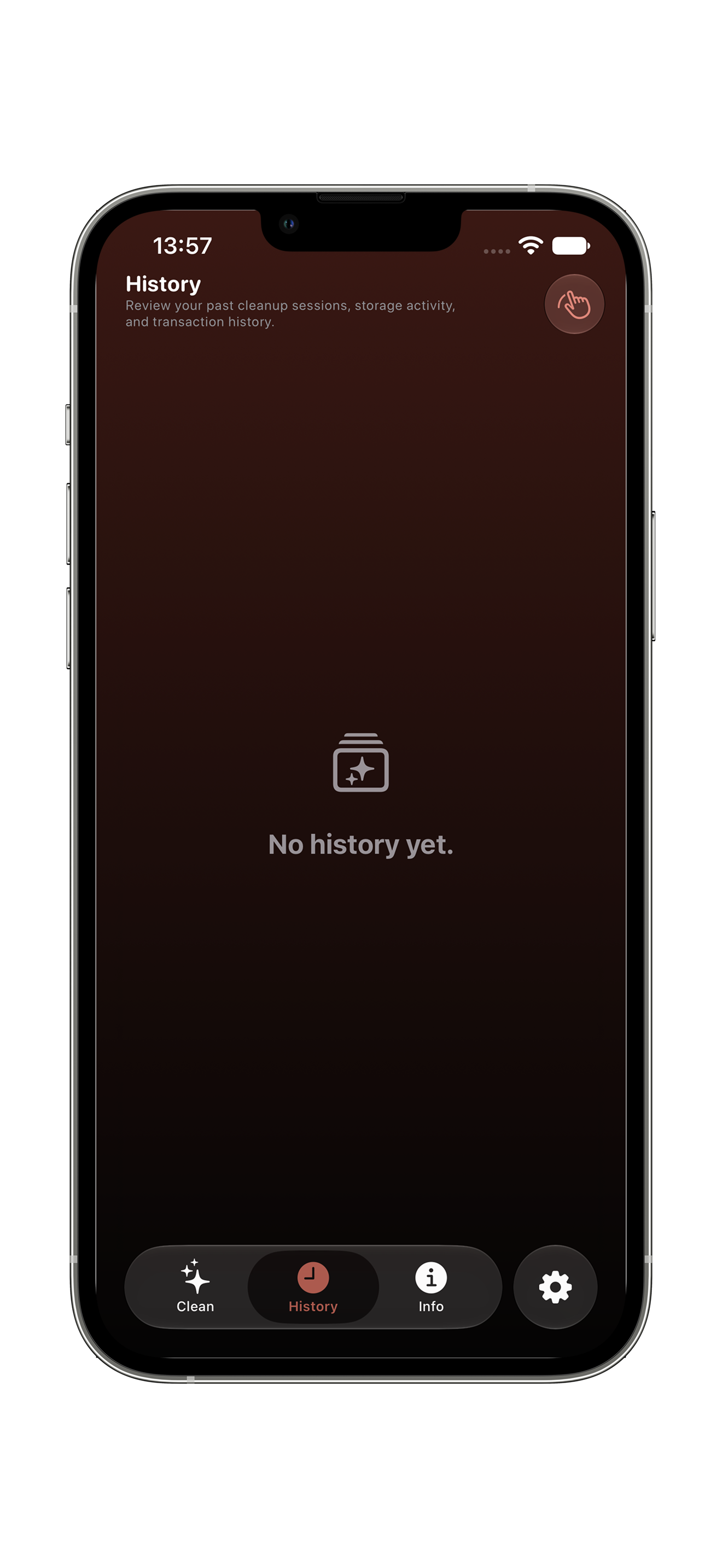
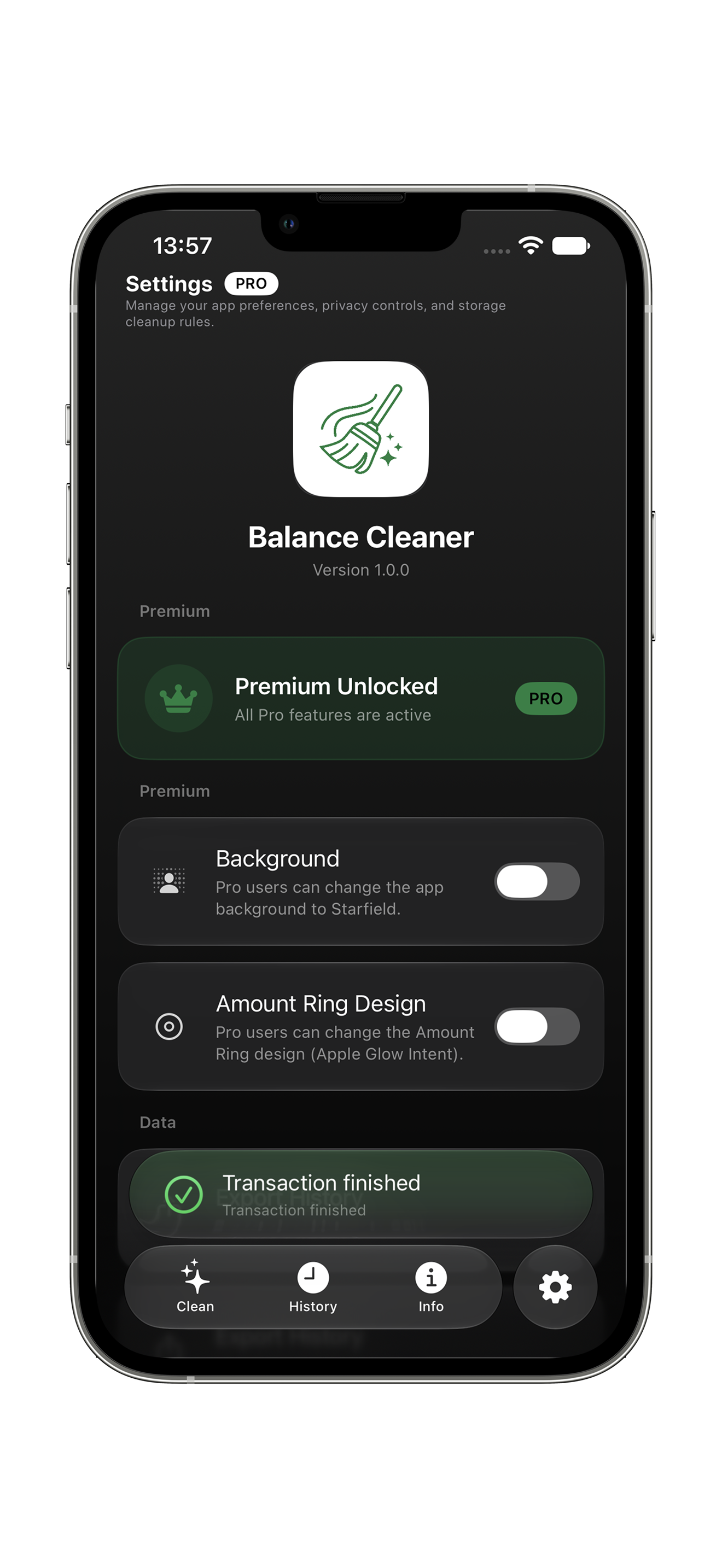
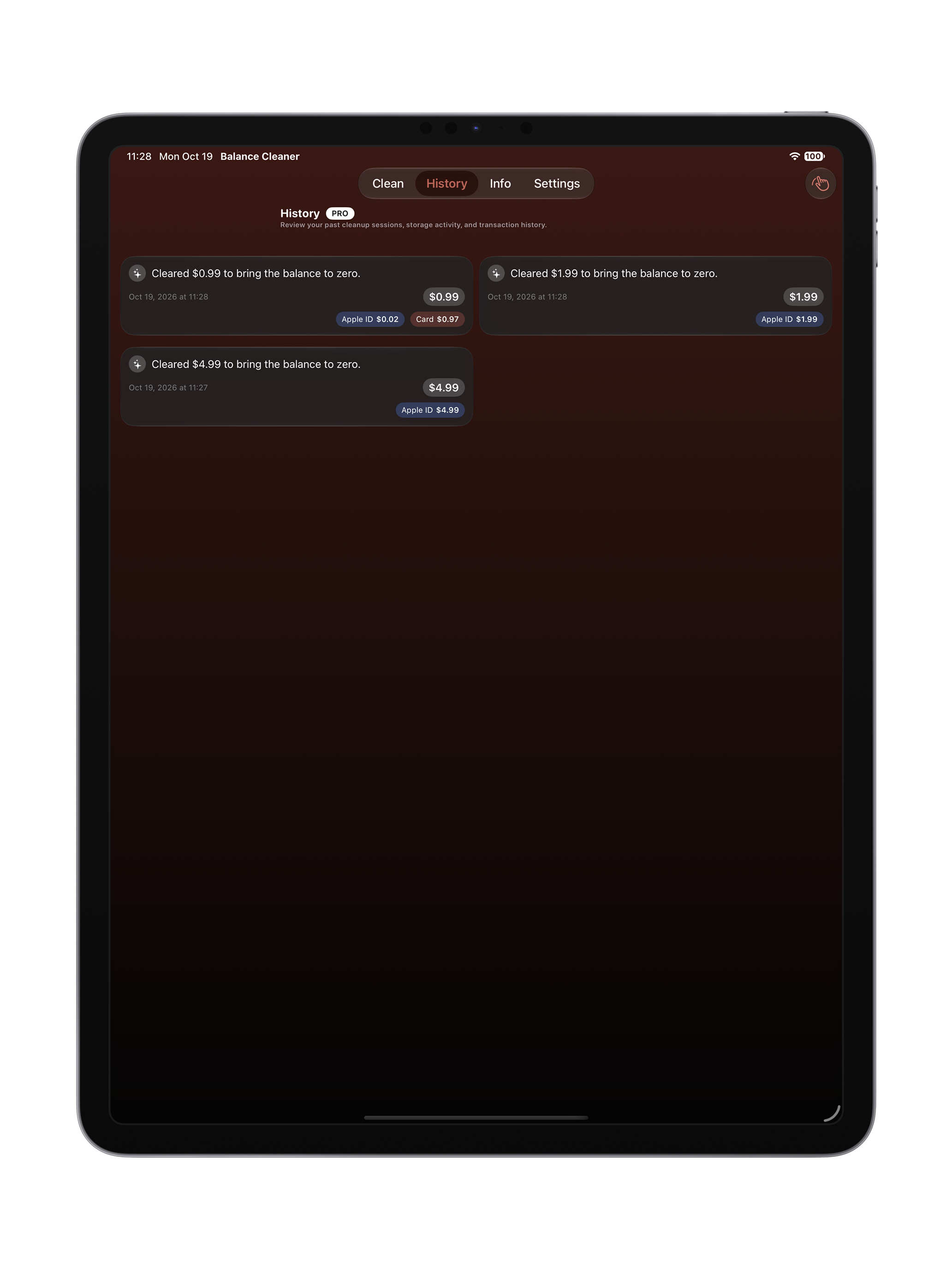
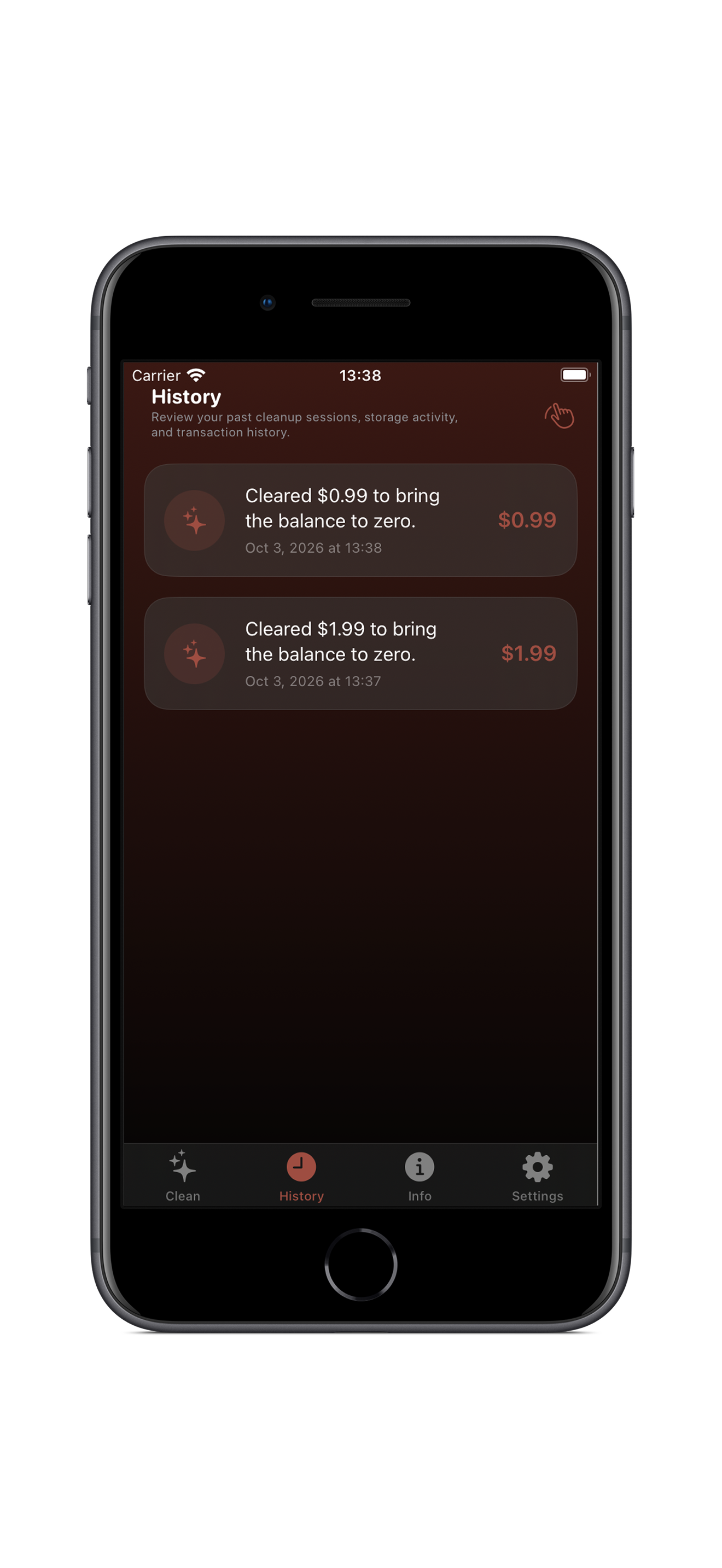
Pro unlocks full transaction history, PDF export, and advanced settings. The core cleaner is free for everyone.
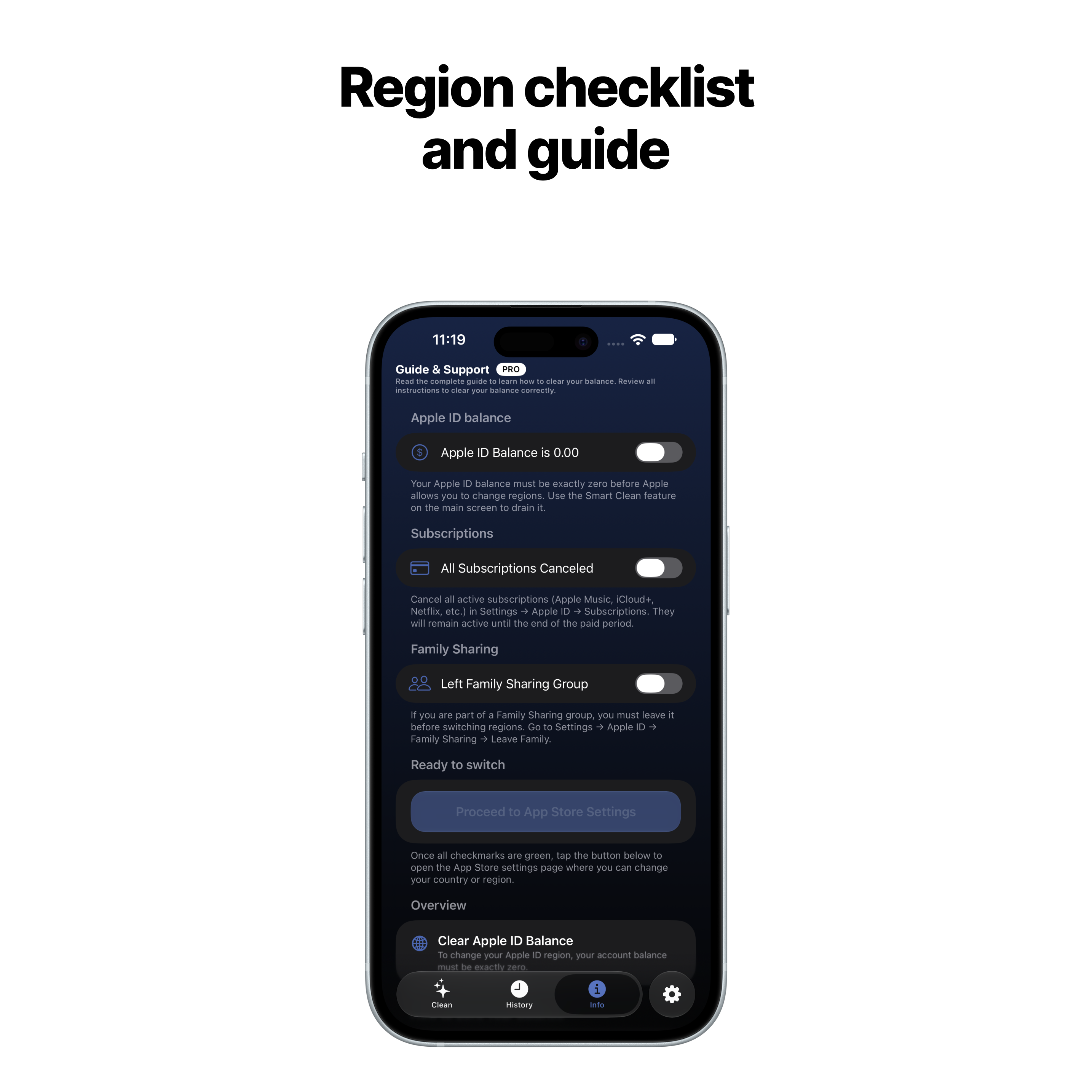
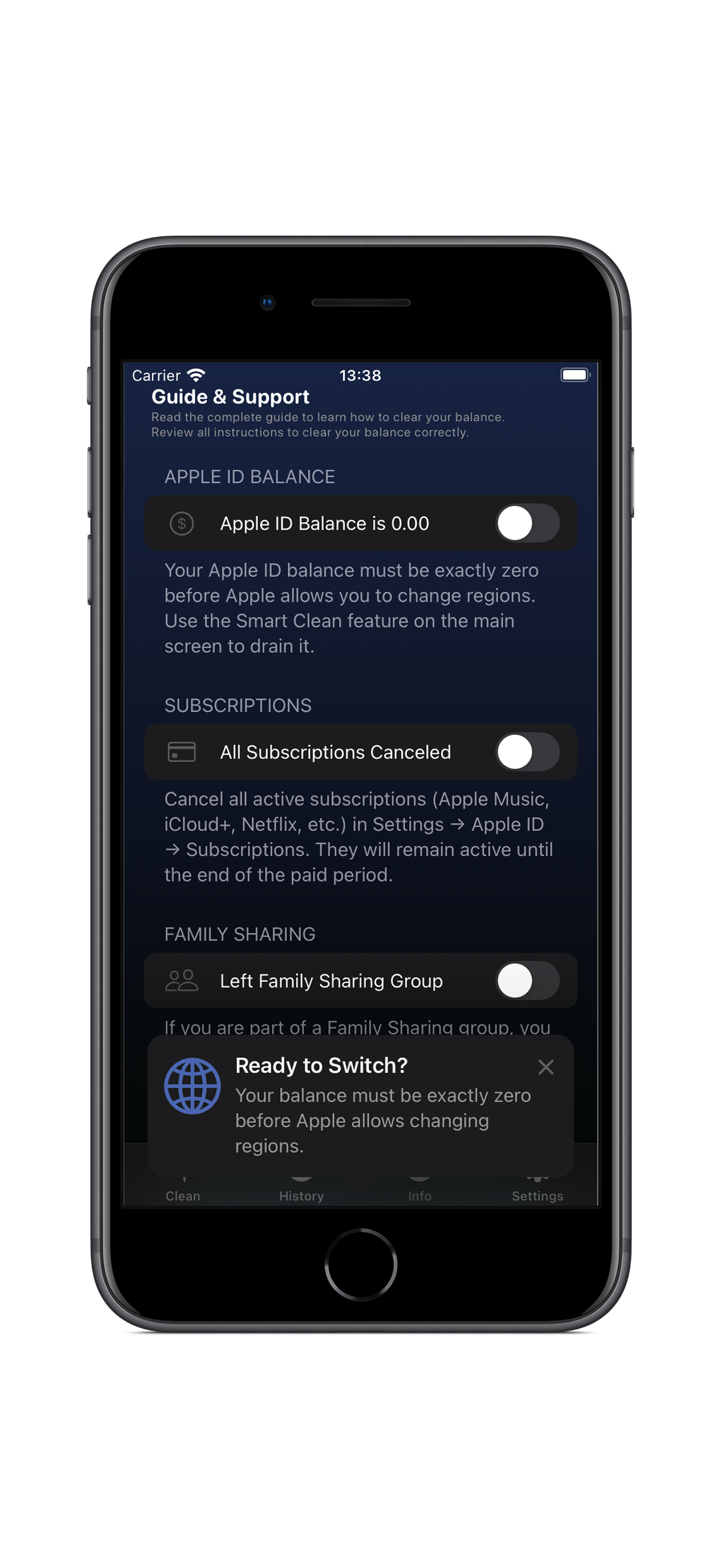
What is the Region Checklist?
A step-by-step guide to prepare your account for a region change. It checks if your Apple ID balance is zero, subscriptions are canceled, and Family Sharing is left.
What Pro customization is available?
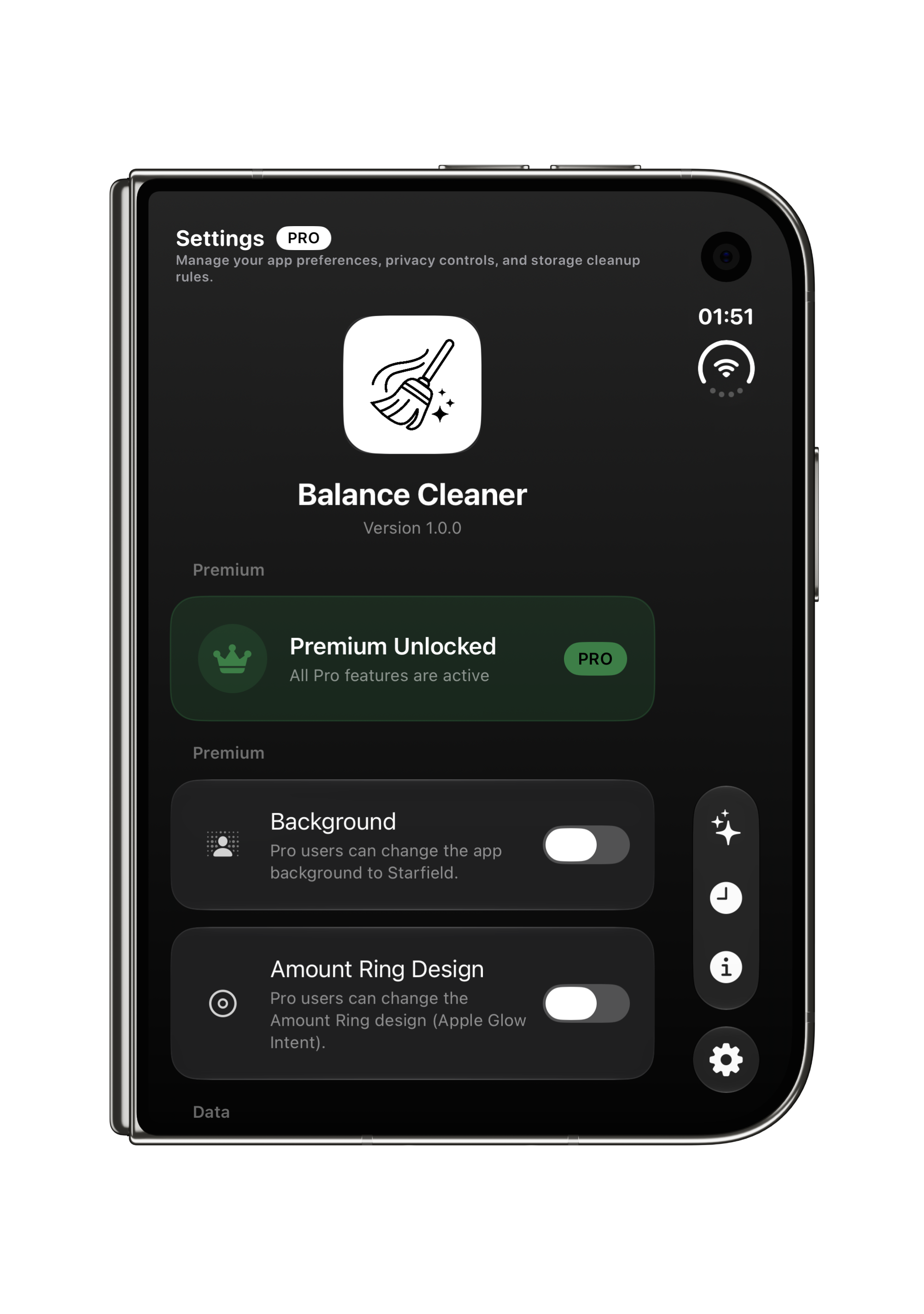
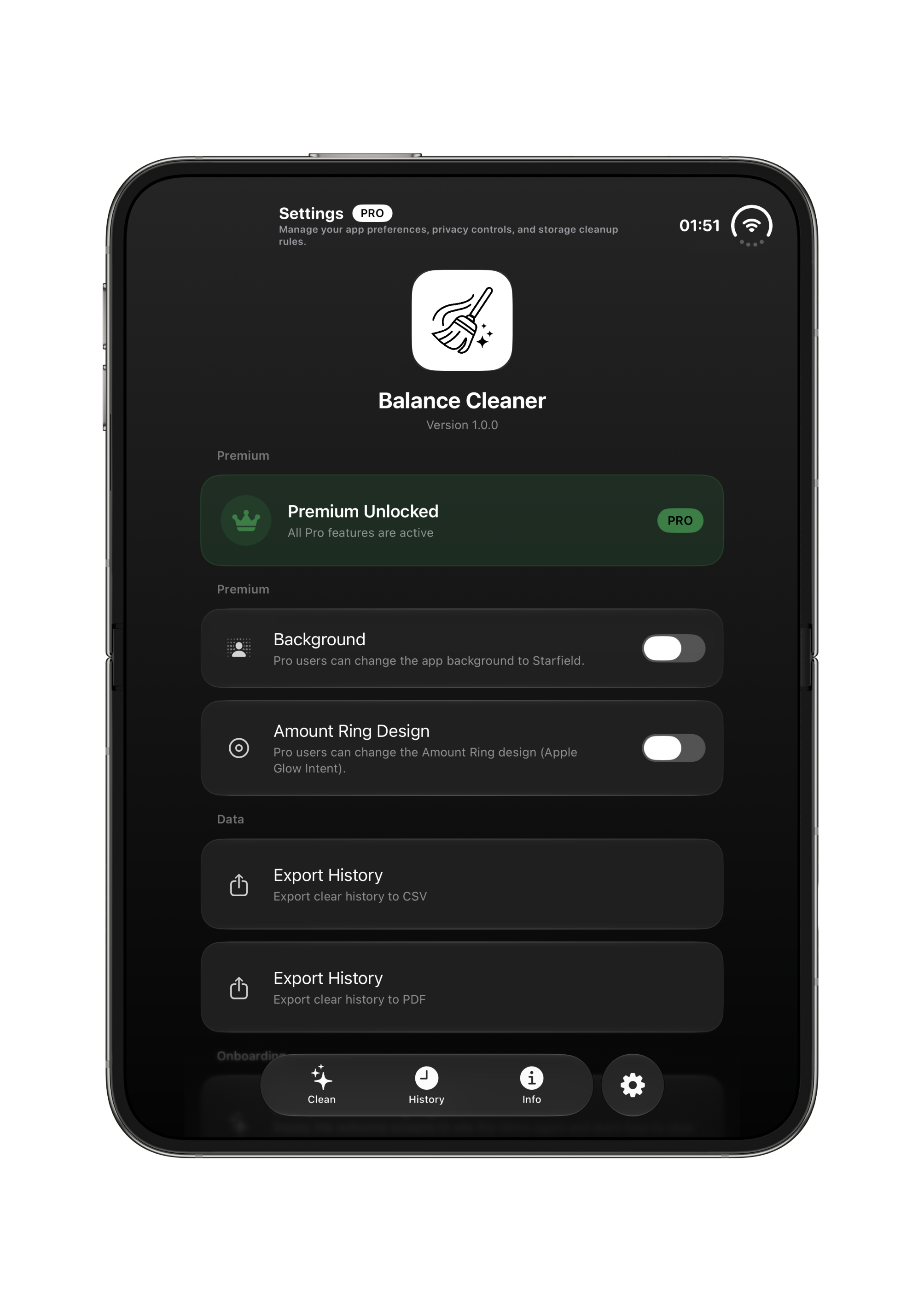
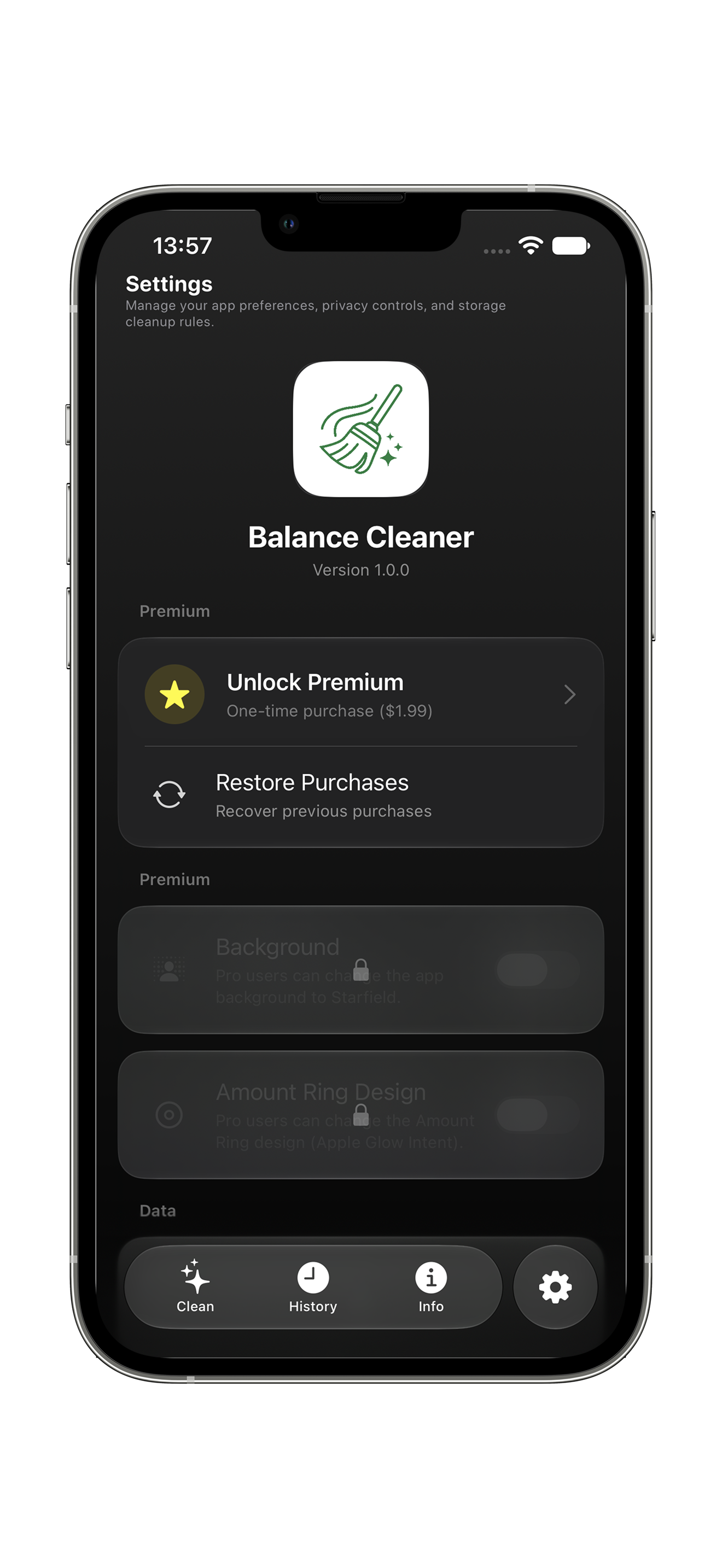
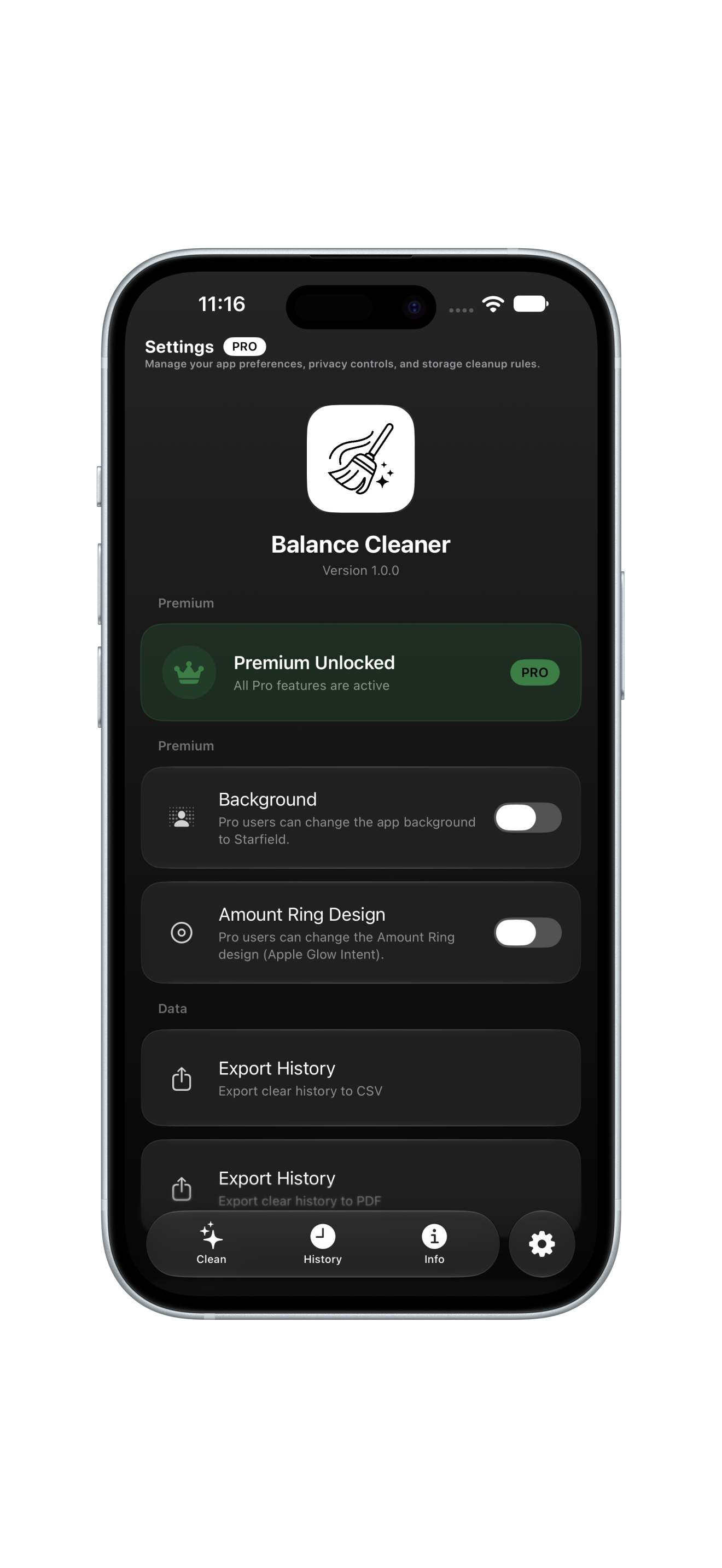
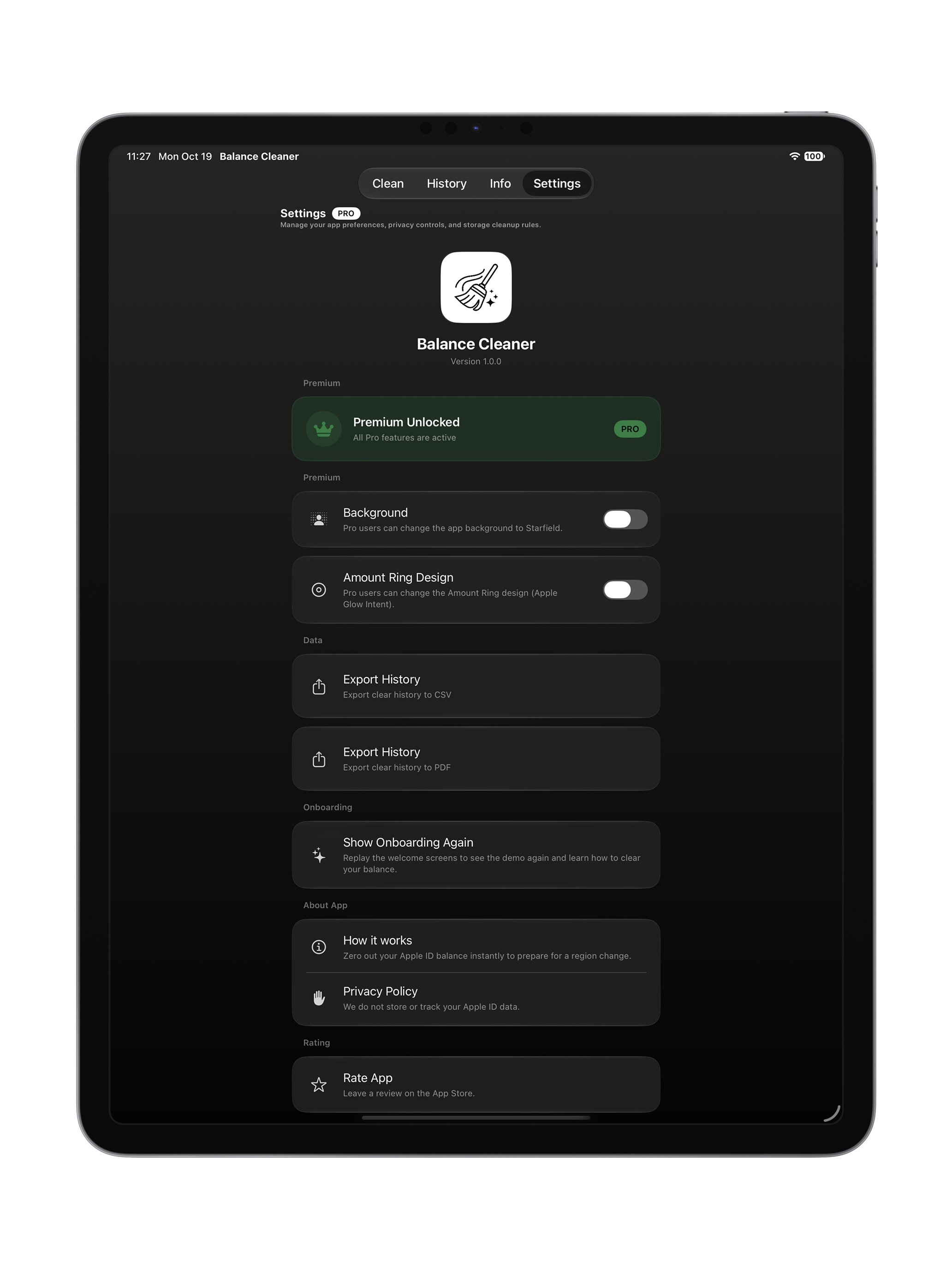
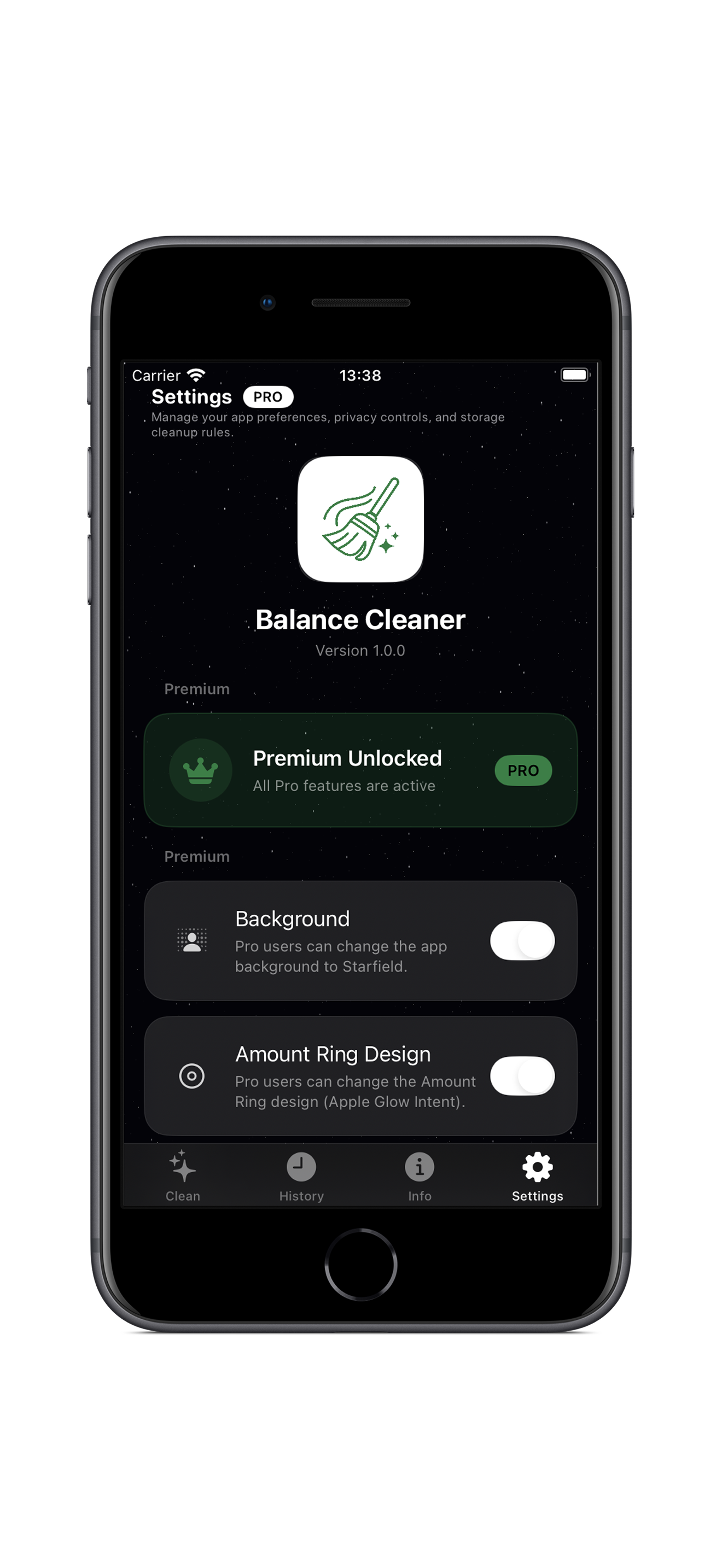
Pro users can change the App background to Starfield and customize the Amount Ring Apple Glow Intent Design.
YOUR PRIVACY MATTERS

Privacy Policy

Last updated: October 2026 · Zero tracking policy

🍎
Apple StoreKit Secure
All balance clearing operations run through official Apple In-App Purchase APIs.
🛡️
Zero Payment Access
We never see, collect, or store your Apple ID password, credit cards, or billing info.
🔒
No Data Sales
Your personal details are never sold, rented, or shared with third-party advertisers.
1. Scope & Core Purpose
This Privacy Policy applies to the BalanceCleaner iOS application and this website. The app is designed exclusively to help users zero out leftover Apple ID balances (such as before changing App Store region) through verified in-app purchases.
2. Apple ID & StoreKit 2 Processing
BalanceCleaner operates strictly within Apple’s native StoreKit 2 framework. All financial transactions are processed directly and securely by Apple Inc. The developer never receives access to your Apple ID password, payment credentials, credit card details, or full billing history.
3. Information We Collect (Zero Personal Data)
The BalanceCleaner app does not collect personal information. It contains no advertising, no third-party tracking libraries, and no analytics SDKs. We do not receive your Apple ID, payment methods, or cleanup history.
4. On-Device Storage & iCloud Sync
All transaction logs and app settings are stored locally in on-device sandbox storage. If you choose to enable iCloud sync, data synchronizes exclusively through Apple CloudKit within your private Apple ID container. The developer has zero access to this private database.
5. Website & Support Communications
This website uses browser localStorage solely to remember your language choice. When you send a message through the support form, your name, email, and message are forwarded directly to our email via FormSubmit solely to respond to your request.
6. GDPR, CCPA & Permanent Deletion Rights
Under GDPR and CCPA regulations, you have the full right to inspect, export, or permanently delete any support communications sent to us. Simply contact us at balancecleanerapp@gmail.com to request immediate deletion.
7. Contact & Developer Information
BalanceCleaner is developed independently by Hakob Ghlijyan, an iOS engineer based in Yerevan, Armenia. For any privacy or technical questions, please email balancecleanerapp@gmail.com.
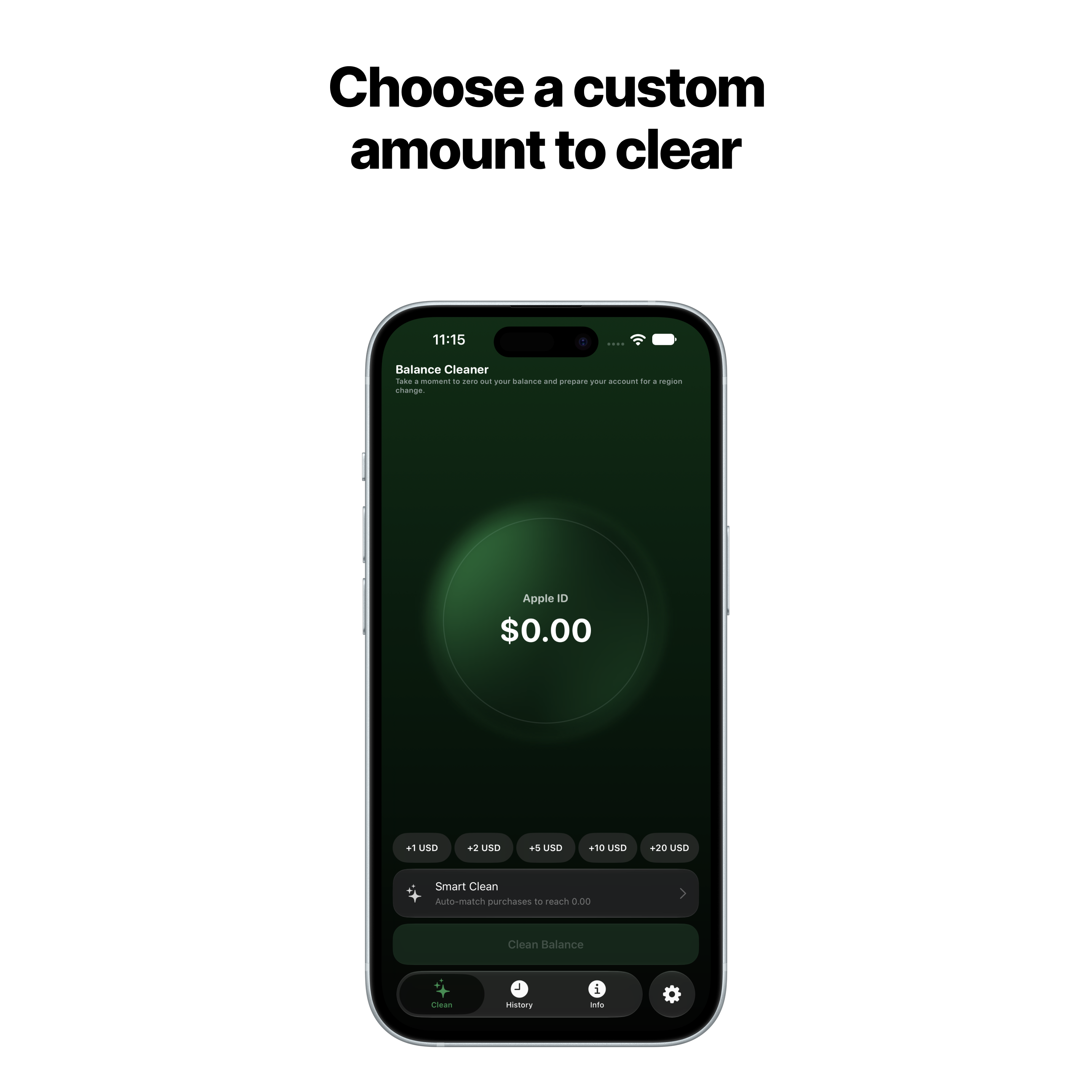
Choose Custom Clear
Choose Custom Clear
Direct custom amount entry · Precision dial · BalanceCleaner
Calculate & Split Preview
Intelligent part combination & split math · BalanceCleaner
StoreKit Secure Settlement
Official Apple In-App Purchase APIs · BalanceCleaner
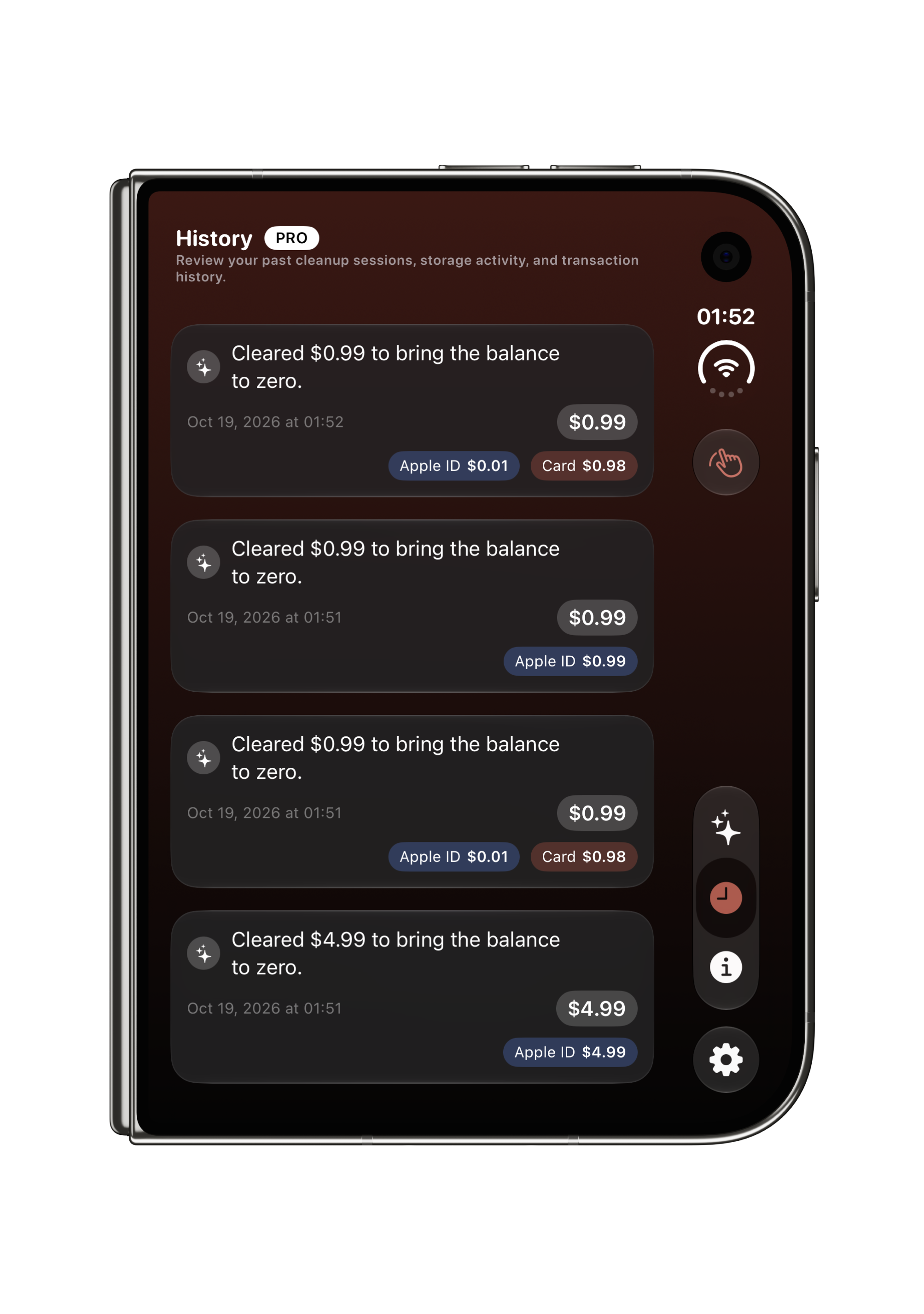
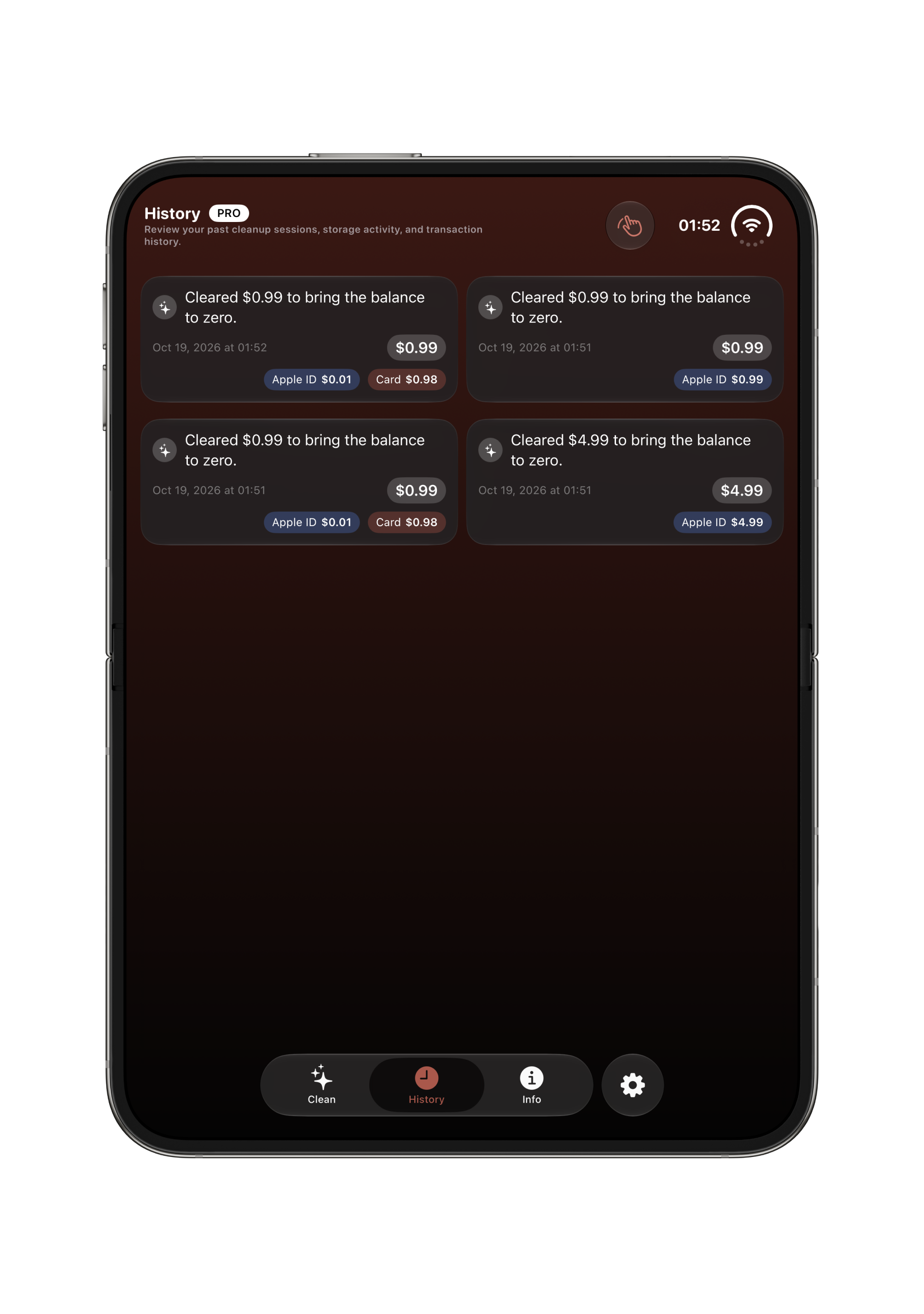
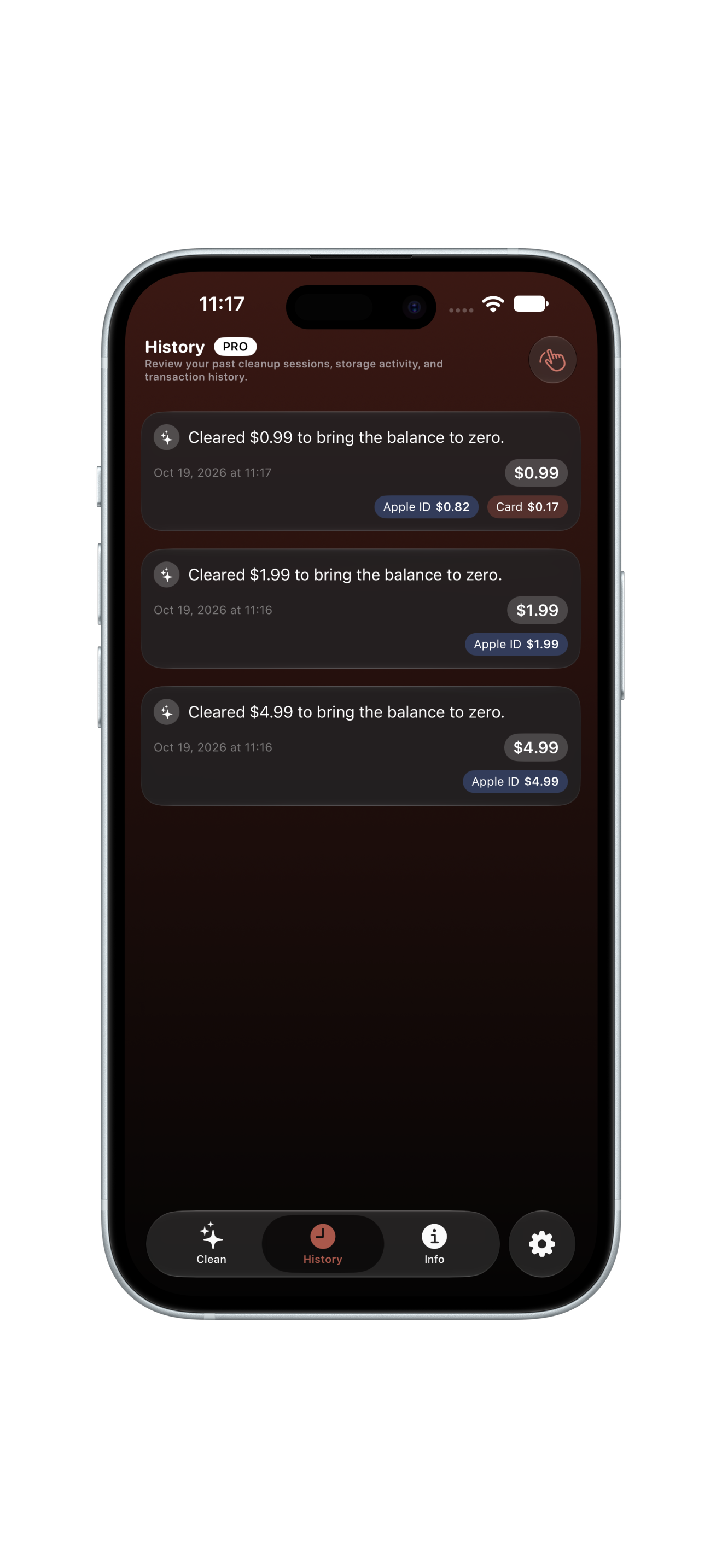
Clearance History & Logs
Track every cleared balance on-device · BalanceCleaner
Privacy & How It Works
Zero personal data & zero tracking architecture · BalanceCleaner
Premium Features & Glow
Ambient Starfield & Apple Glow design · BalanceCleaner
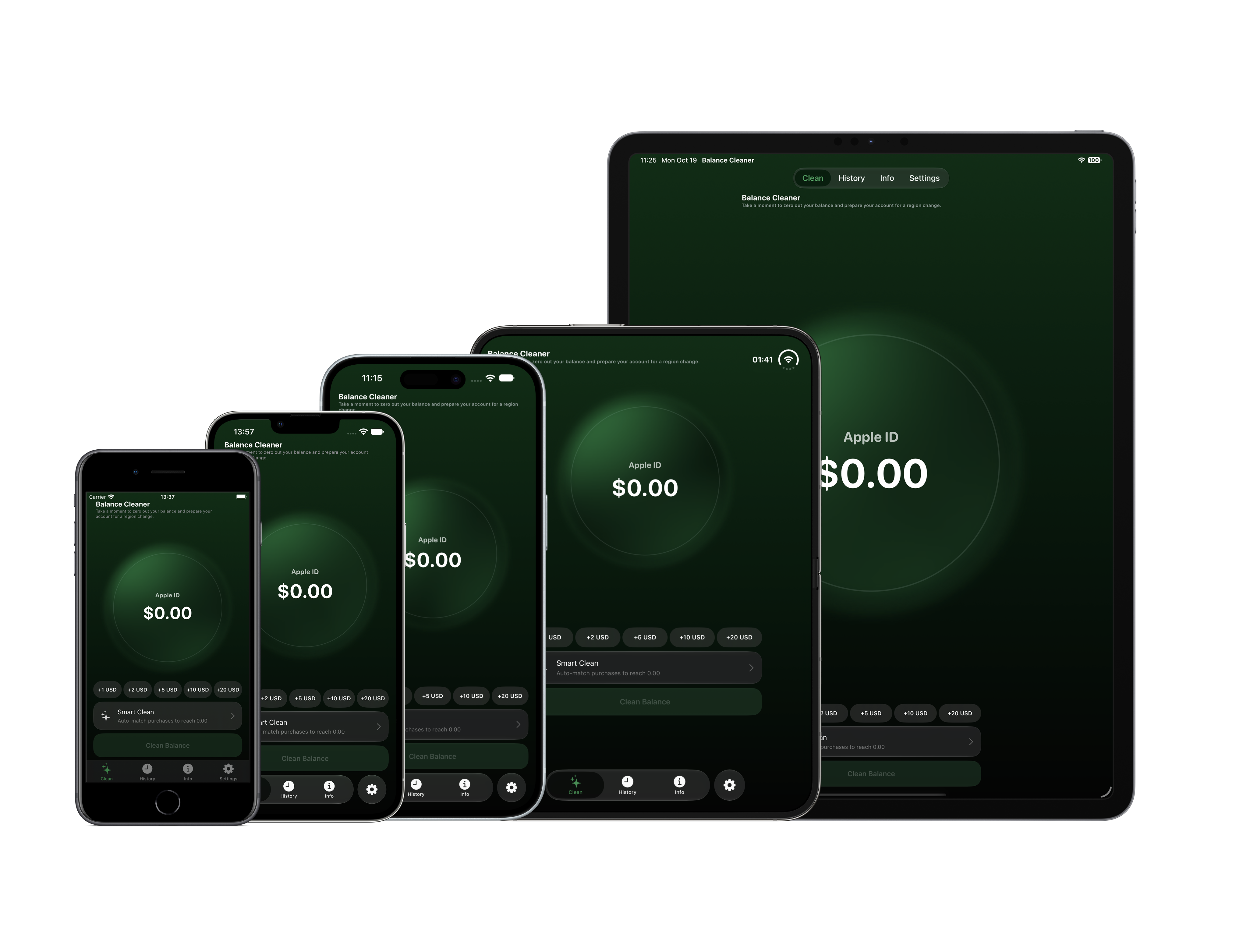
All Devices Ecosystem Cover
All Devices Ecosystem
iPhone, iPad & Duo Screens · BalanceCleaner
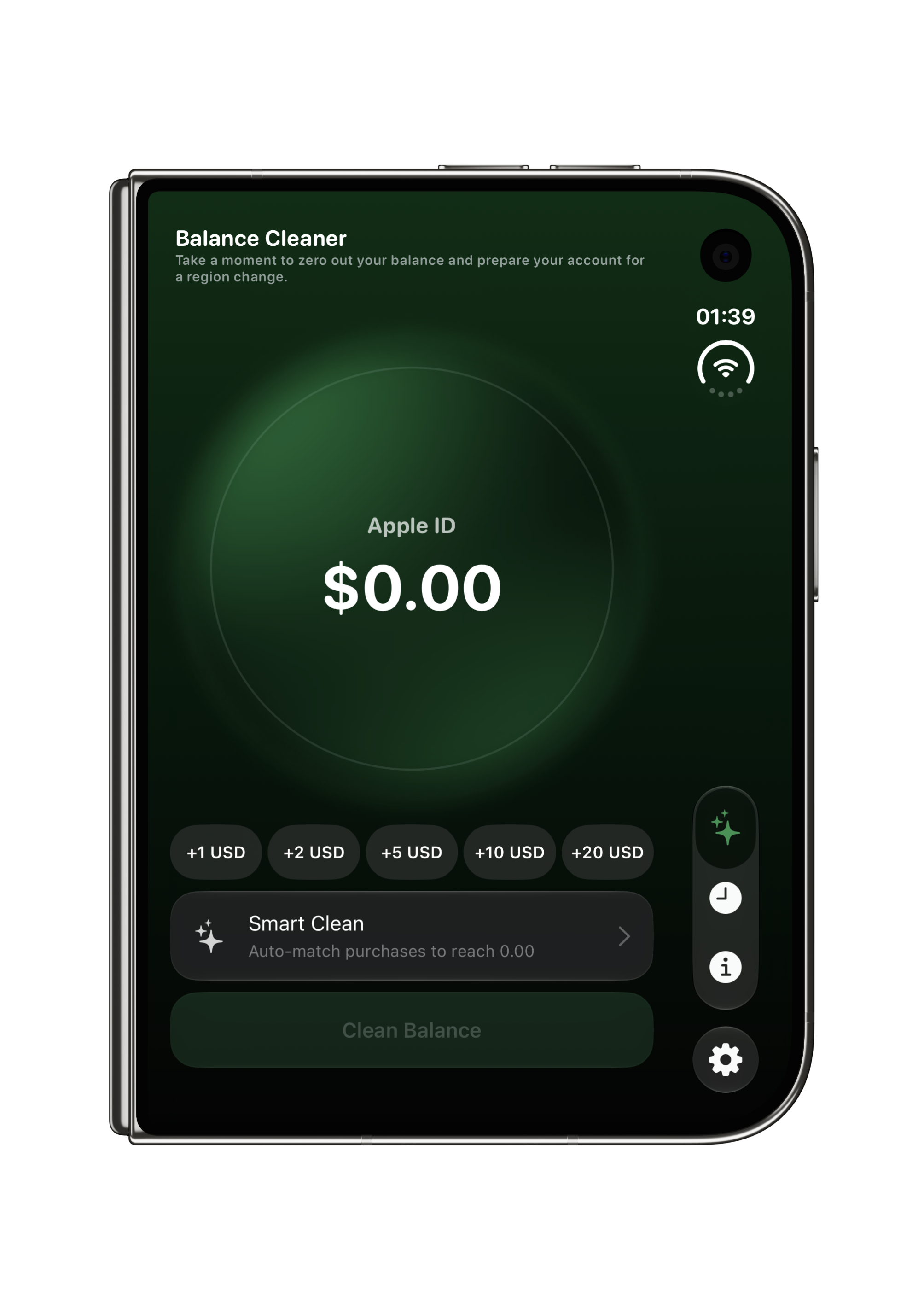
Duo Screen 1
Dual Dial Cleaner
Duo · Screen 1
Duo Screen 2
Split Math & Presets
Duo · Screen 2
Duo Screen 3
Calculated Parts Breakdown
Duo · Screen 3
Duo Screen 4
Native StoreKit Sheet
Duo · Screen 4
Duo Screen 5
Region Change Readiness
Duo · Screen 5
Duo Screen 6
Apple Glow & Starfield Themes
Duo · Screen 6
Duo Screen 7
Precision Keypad Input
Duo · Screen 7
Duo Screen 8
Clearance History & Logs
Duo · Screen 8
Duo Screen 9
Rounding Rules & Currencies
Duo · Screen 9
Duo Screen 10
Settings & Support Channel
Duo · Screen 10
iPhone 17 Screen 1
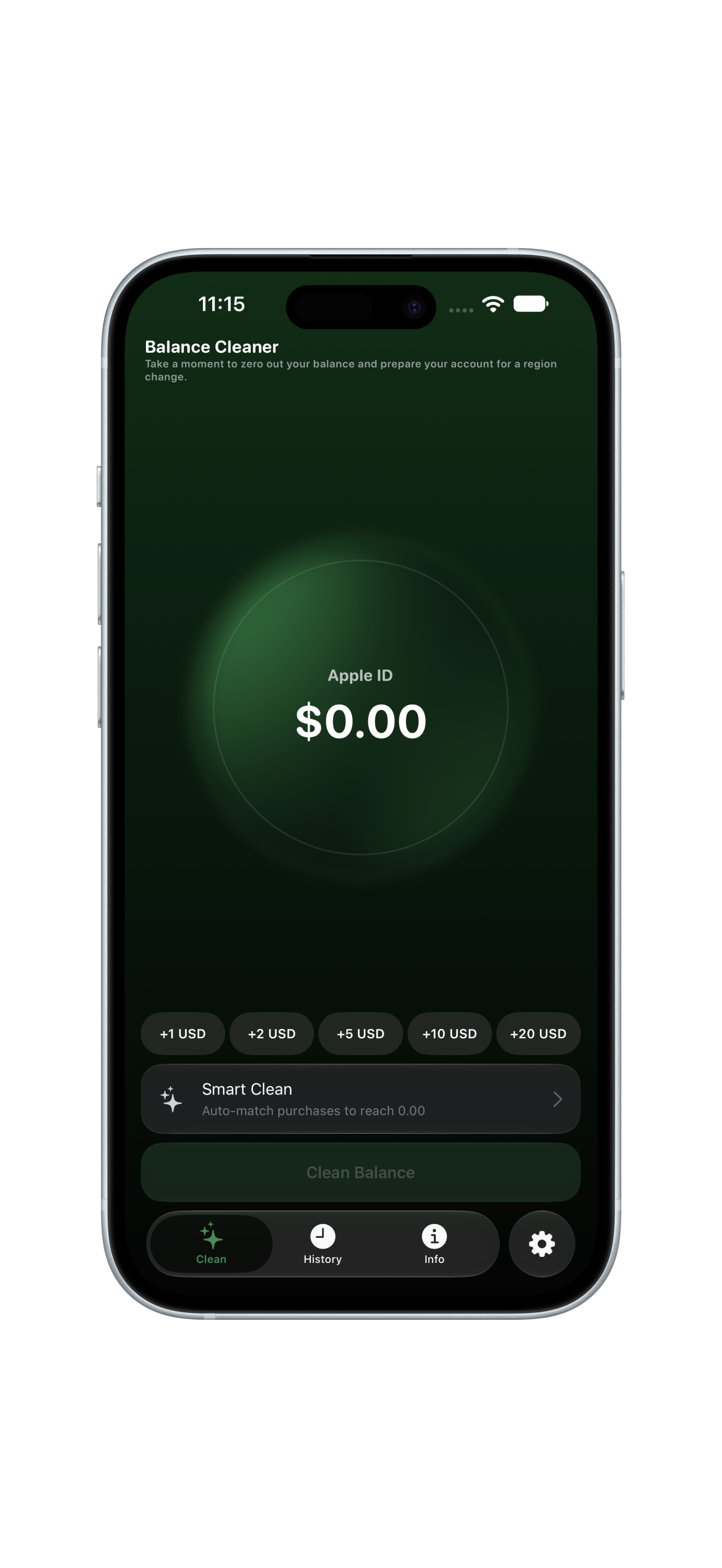
Dashboard & Amount Ring
iPhone 17 · Screen 1
iPhone 17 Screen 2
Balance Input & Presets
iPhone 17 · Screen 2
iPhone 17 Screen 3
Purchase Calculation
iPhone 17 · Screen 3
iPhone 17 Screen 4
StoreKit Payment Modal
iPhone 17 · Screen 4
iPhone 17 Screen 5
Ready for Region Change
iPhone 17 · Screen 5
iPhone 17 Screen 6
Settings & Appearance
iPhone 17 · Screen 6
iPhone Screen 1
Zero Balance Dashboard
iPhone · Screen 1
iPhone Screen 2
Calculate & Split Breakdown
iPhone · Screen 2
iPhone Screen 3
StoreKit Confirmation Sheet
iPhone · Screen 3
iPhone Screen 4
Region Change Checklist
iPhone · Screen 4
iPhone Screen 5
Settings & Support Contact
iPhone · Screen 5
iPad Screen 1
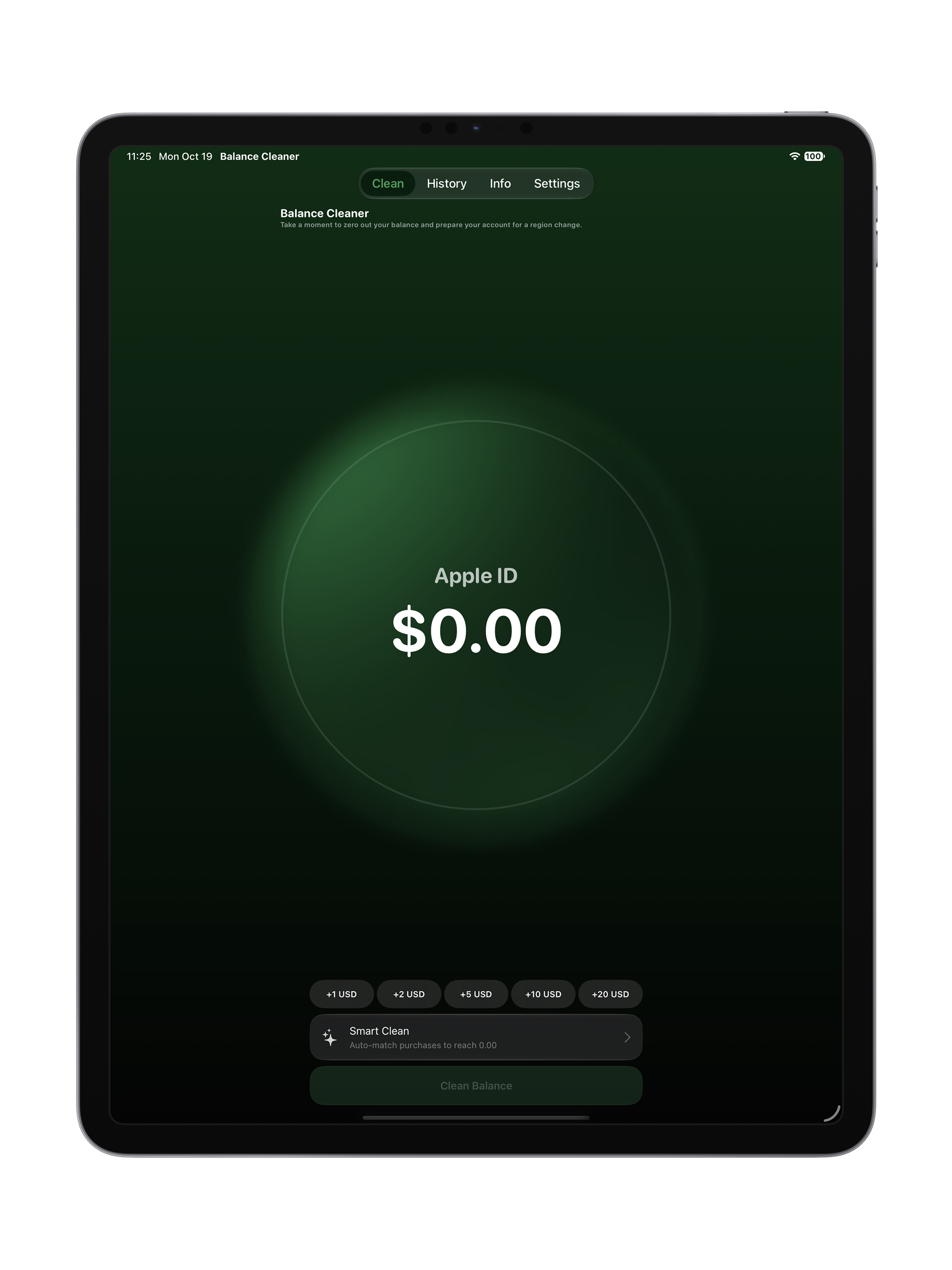
Canvas Dial & Presets
iPad · Screen 1
iPad Screen 2
Balance Calculation Engine
iPad · Screen 2
iPad Screen 3
StoreKit Payment Confirmation
iPad · Screen 3
iPad Screen 4
Region Migration Checklist
iPad · Screen 4
iPad Screen 5
Settings & Support Hub
iPad · Screen 5
iPhone SE Screen 1
Compact Dial Interface
iPhone SE · Screen 1
iPhone SE Screen 2
Compact Keypad Input
iPhone SE · Screen 2
iPhone SE Screen 3
Split Calculation Results
iPhone SE · Screen 3
iPhone SE Screen 4
StoreKit Confirmation
iPhone SE · Screen 4
iPhone SE Screen 5
Region Checklist
iPhone SE · Screen 5
iPhone SE Screen 6
App Settings & History
iPhone SE · Screen 6
iPhone 18 Pro Mockup Frame
iPhone 18 Pro Video Demo
Dynamic Island & Pro Motion · Video Walkthrough
iPhone 17 Mockup Frame
iPhone 17 Video Demo
Full Screen Layout · Video Walkthrough
iPhone 16 Pro Mockup Frame
iPhone 16 Pro Video Demo
Pro Motion Display · Video Walkthrough
iPhone SE Mockup Frame
iPhone SE Video Demo
Compact Form Factor · Video Walkthrough
Step 1: Check Apple ID Credit
Locate your exact remaining store balance · BalanceCleaner
Step 2: Calculate & Purchase
Cleanly zero out using real in-app products · BalanceCleaner
Step 3: Region Change Checklist
Step-by-step checklist to prepare account · BalanceCleaner
Step 4: Settings & Contact Support
Direct assistance and app settings · BalanceCleaner
iPhone 18 Pro Mockup Frame
iPhone 18 Pro Video Demo
Zero Balance Calculation & StoreKit Flow · Walkthrough Demo
BalanceCleaner Ecosystem BalanceCleaner Tiers Showcase
BalanceCleaner Ecosystem
iPhone & iPad Native Architecture · Tiers Overview
Direct Support
Support & User Inquiries
Direct developer assistance · balancecleanerapp@gmail.com
Privacy Architecture
StoreKit 2 Native Privacy
Zero payment access · 0 Analytics · No user tracking